
Start Here
Start Here
Review these topics in order, or jump directly to the card you need.
What Report-Boot Is
One governed report lifecycle with two equally important developer experiences.
How it flows
Report-Boot is not an Excel wrapper. It is a Spring Boot reporting framework that gives every report a stable identity, validation, provider selection, storage, expiry, security, delivery, and governance lifecycle.
| Path | Best when | Developer writes | Report-Boot owns |
|---|---|---|---|
| Annotation-based | A Java DTO naturally represents the report | Annotations, fields, and a template | Mapping, validation, provider selection, filename, policy, lifecycle |
| Programmable SQL/Excel | The report is tabular, dynamic, large, or dashboard-like | Trusted SQL and fluent builders | Parameters, streaming, columns, formulas, workbook structure, lifecycle |
- Both paths return the same GeneratedReport contract.
- Both paths can use durable UUID orders, filesystem content, secure access tokens, email delivery, and rb_log governance.
- Providers are replaceable modules; application controllers stay small.
- The framework favors business names such as Total and Customer over A1 coordinates and renderer internals.
Executive Library Map
Fifteen focused modules, one report lifecycle, and no forced all-in dependency stack.
Report-Boot is a modular Spring Boot reporting platform. Start with Core + Starter, choose annotation/template providers or SQL/programmatic reporting, then add delivery, observability and design capabilities only where they create value.
| Library | Role | What it gives you | Choose it when |
|---|---|---|---|
| report-boot-core | Foundation | Contracts, annotations, mapping, provider SPI, lifecycle API | Every integration; no renderer by itself |
| report-boot-spring-boot-starter | Bootstrap | Auto-configuration, storage, orders, tokens, governance | Normal Spring Boot applications |
| report-boot-jasper | Template provider | JRXML to PDF | Pixel-aware enterprise PDF estates |
| report-boot-jxls | Template provider | Designed XLSX template to populated workbook | Analyst-owned spreadsheet layouts |
| report-boot-birt | Template provider | RPTDESIGN to PDF | Existing BIRT estates |
| report-boot-thymeleaf | Template provider | HTML and print-ready HTML | Web-native documents and browser printing |
| report-boot-sql | Data engine | Trusted SQL to a governed tabular definition | Dynamic, parameterized, multi-sheet reports |
| report-boot-excel | Workbook engine | Template-free XLSX, formulas, charts, slices, styles | Code-first workbooks and dashboards |
| report-boot-csv | Tabular provider | Single CSV or multi-sheet ZIP | Machine-readable extracts |
| report-boot-email | Delivery | Attachments, templates, schedules, conditions, idempotency | Manual and automated report delivery |
| report-boot-insights-api | Observability contracts | Events, log entries, sinks, dashboard DTOs | Custom telemetry and control centers |
| report-boot-insights-spring-boot-starter | Observability runtime | Logback capture, ring buffer, sink forwarding | Automatic library-log ingestion |
| report-boot-designer | Definition contracts | Designer JSON to executable SQL definition | Visual and low-code report builders |
| report-boot-ai | Design assistant | Secured Gemini proxy for design/chat responses | AI-assisted definition authoring |
| report-boot-demo | Reference application | Runnable APIs, templates, database, SMTP and Postman | Learning, verification and integration tests |
| Developer path | Smallest useful stack | Typical expansion |
|---|---|---|
| Annotation PDF | starter + jasper | email + insights + JDBC orders |
| Annotation Excel template | starter + jxls | email + secure links |
| Annotation HTML | starter + thymeleaf | email templates + print-ready pages |
| Dynamic SQL export | starter + sql + excel/csv | designer + dashboards + insights |
| Visual/AI design | designer + sql + excel | ai proxy + starter + governance |
| Custom provider | core | starter auto-configuration + contract tests |
Every module chapter below answers four questions: why would I install it, what does it own, how do I configure it, and which demo recipe proves it works.
Five-Minute Start
Install the starter, choose a provider, configure storage, then generate your first governed report.
How it flows
<dependency>
  <groupId>com.reportboot</groupId>
  <artifactId>report-boot-spring-boot-starter</artifactId>
  <version>0.1.0-MVP</version>
</dependency>

<!-- Add only the providers you use -->
<dependency>
  <groupId>com.reportboot</groupId>
  <artifactId>report-boot-jasper</artifactId>
  <version>0.1.0-MVP</version>
</dependency>report-boot:
templates-path: classpath:/report-boot/report-templates
default-output: PDF
database:
initialize-schema: true
schema: public
table-prefix: rb_
orders:
type: jdbc
storage:
type: filesystem
content-root: target/report-boot/reports
governance:
enabled: true
instance-name: billing-service
security:
enabled: true
default-expiry-minutes: 30
max-expiry-minutes: 1440
watermark-enabled: true
one-time-download-enabled: falseUse reportService.generate(dto) for annotation reports. Use reportService.generate(code, definition, parameters, output) for SQL/builder reports. That is the central simplicity of Report-Boot.
Choose Your Path
Start from the report your users expect, not from an engine name.
| Need | Choose | Reason |
|---|---|---|
| Governed PDF from a Java DTO | Annotations + Jasper | Small API surface with strong template control. |
| Existing designed workbook | Annotations + JXLS | Preserve a business-authored Excel template. |
| Dynamic operational export | SQL + Dynamic Excel | No template maintenance; column-name builders and streaming. |
| Interactive workbook dashboard | SQL + Dynamic Excel dashboard contracts | Charts, KPIs, filters, and connected slices. |
| Simple machine-readable extract | SQL + CSV | Same definition, lightweight output. |
| Browser or print page | Annotations + Thymeleaf | HTML/CSS templates and print rules. |
| Existing BIRT portfolio | Annotations + BIRT | Reuse .rptdesign assets. |
| Visual JSON design | Designer + SQL + Excel | Trusted data-source references with designer-defined presentation. |
| Provider | Engine | Output | Template | Use it for |
|---|---|---|---|---|
| Jasper | JASPER | .jrxml | Pixel-aware enterprise PDFs and mature report templates. | |
| JXLS | JXLS | EXCEL | .xlsx | Template-based Excel where a business-owned workbook is the design. |
| Dynamic Excel | DYNAMIC_EXCEL | EXCEL | No template | Code-first tables, formulas, slices, charts, dashboards, and large exports. |
| BIRT | BIRT | .rptdesign | Existing BIRT estates and BIRT-designed reports. | |
| Thymeleaf | THYMELEAF | HTML | .html | Web-native, email-friendly, and print-ready HTML. |
| CSV | DYNAMIC_TABLE | CSV | No template | Portable tabular extracts; multi-sheet definitions become a ZIP. |
Core Platform
Core Platform
Review these topics in order, or jump directly to the card you need.
Core Library
The provider-neutral heart: describe a report once, then let an installed provider render it.
Use report-boot-core when you need the public ReportService API, annotation model, report mapping, lifecycle contracts, or a custom provider. It intentionally does not render PDF, Excel, CSV, or HTML by itself.
How it flows
| Contract | Developer value | Implement it when |
|---|---|---|
| ReportService | One generate/download entry point independent of engine | Normally consume the starter default |
| ReportProvider / ReportRenderer | Pluggable engine and output selection | Adding a renderer or enterprise engine |
| ReportDataProvider | Separates data acquisition from rendering | Connecting REST, NoSQL, GraphQL, or custom data |
| ReportOrderRepository | Tracks UUID, state, expiry and download claims | Replacing memory/JDBC lifecycle storage |
| ReportContentStore | Stores bytes outside the lifecycle row | Adding S3, Azure Blob, GridFS, or another content store |
| TemplateResolver | Resolves classpath or external template assets | Adding a template registry or tenant-aware lookup |
| ReportSecurityManager | Central access decision contract | Integrating application identity and policy |
<dependency>
<groupId>com.reportboot</groupId>
<artifactId>report-boot-core</artifactId>
<version>0.1.0-MVP</version>
</dependency>For most applications, depend on the Spring Boot starter plus the providers you need. Depend directly on core when you are building an extension module or intentionally wiring every contract yourself.
| Capability status | Meaning |
|---|---|
| Runtime | The framework executes the behavior today. |
| Descriptor contract | Core extracts stable metadata; a focused adapter must enforce it. |
| Declaration only | The annotation/API exists but automatic execution is not wired yet. |
Spring Boot Starter
Production-minded defaults for discovery, storage, security, governance and provider wiring.
Add the starter to a consuming Spring Boot service, then add only the rendering/data modules that service needs. Beans remain override-friendly, so enterprise adapters can replace defaults without forking Report-Boot.
<dependency>
<groupId>com.reportboot</groupId>
<artifactId>report-boot-spring-boot-starter</artifactId>
<version>0.1.0-MVP</version>
</dependency>| Starter responsibility | Default | Why/when to change |
|---|---|---|
| Provider discovery | Select by engine + output | Install a provider module; replace only for custom routing |
| Report orders | Memory for simple use; JDBC when configured | Use JDBC for restarts and multiple instances |
| Report bytes | Filesystem content store | Use a shared mount or custom store across instances |
| Template resolution | report-boot.templates-path | Point to classpath or external template assets |
| Governance | rb_log when JDBC and governance are enabled | Keep enabled when auditability matters |
| Secure tokens | Disabled until configured | Enable for expiring email/browser links |
| Unavailable page | Neutral built-in HTML | Replace or redirect for application branding |
| Startup compilation | Off | Enable to fail deployment before invalid templates serve traffic |
report-boot:
  templates-path: classpath:/report-boot/report-templates
  default-output: PDF
  database:
    initialize-schema: true
    schema: public
    table-prefix: rb_
  orders:
    type: jdbc
  storage:
    type: filesystem
    content-root: target/report-boot/reports
  governance:
    enabled: true
    instance-name: billing-service
  security:
    enabled: true
    default-expiry-minutes: 30
    max-expiry-minutes: 1440
    watermark-enabled: true
one-time-download-enabled: falseThe durable split is deliberate: rb_report_order stores state and a storage reference, while the actual report bytes remain in ReportContentStore. This keeps the database governable without turning it into a file bucket.
The Governed Lifecycle
Generation is more than bytes: it is a durable, inspectable business operation.
How it flows
GeneratedReport report = reportService.generate(request);
report.getReportOrderUuid();
report.getFileName();
report.getContentType();
report.getContent();
report.getGeneratedAt();
report.getAccessToken();
report.getAccessTokenExpiresAt();The UUID identifies report state; it is not the file itself. With JDBC orders and filesystem content, multiple application instances share expiry, one-time download state, token hash, download count, and storage location without storing report bytes in the database.
Annotation Quick Start
Turn a normal DTO into a governed report contract.
How it flows
@ReportTemplate(
code = "invoice-basic",
title = "Basic Invoice",
templateFile = "classpath:/report-boot/report-templates/invoice-basic.jrxml",
output = ReportOutput.PDF
)
@ReportEngineType(ReportEngine.JASPER)
@ReportSecured(watermark = true, expiryMinutes = 30)
@ReportFileName("invoice-${invoiceNumber}.pdf")
@ReportAccess(role = "ROLE_REPORT_ADMIN")
@ReportTitle("Invoice Report")
@ReportCategory("Billing")
public class InvoiceReportDto {
@ReportField("invoiceNumber")
@ReportRequired
@ReportSensitive
private String invoiceNumber;
@ReportField("customerName")
@ReportRequired
private String customerName;
@ReportField("invoiceDate")
@ReportDateFormat("yyyy-MM-dd")
private LocalDate invoiceDate;
@ReportField("totalAmount")
@ReportCurrency("USD")
@ReportFormat(pattern = "#,##0.00")
private BigDecimal totalAmount;
@ReportTable("items")
private List<InvoiceItemDto> items;
}@RestController
@RequestMapping("/api/reports/jasper/invoice")
class InvoiceReportController {
private final ReportService reportService;
@PostMapping("/download")
ResponseEntity<byte[]> download(@RequestBody InvoiceReportDto request) {
GeneratedReport report = reportService.generate(request);
return ResponseEntity.ok()
.header(HttpHeaders.CONTENT_DISPOSITION,
"attachment; filename=\"" + report.getFileName() + "\"")
.contentType(MediaType.parseMediaType(report.getContentType()))
.body(report.getContent());
}
}curl --location --request POST "http://localhost:8080/api/reports/jasper/invoice/download" \
--header "Content-Type: application/json" \
--data '{
"invoiceNumber": "INV-2026-1001",
"customerName": "Acme Corporation",
"invoiceDate": "2026-07-13",
"totalAmount": 499.00,
"items": [
{
"itemName": "Report-Boot Enterprise License",
"quantity": 1,
"unitPrice": 499.00,
"total": 499.00
}
]
}' \
--output "invoice.pdf"Annotation Reference
Know which annotations execute today and which are extension contracts.
A professional framework must separate a declared annotation from implemented behavior. Runtime means the current libraries consume it. Descriptor contract means it is captured for governance or extension adapters but does not automatically perform the named enterprise behavior.
| Category | Annotations | Current maturity | Purpose |
|---|---|---|---|
| Template | @ReportTemplate, @ReportEngineType, @ReportFileName | Runtime | Select template, engine, output, and safe generated filename. |
| Catalog | @ReportTitle, @ReportDescription, @ReportVersion, @ReportCategory | Runtime metadata | Describe reports for catalogs, logs, and tooling. |
| Mapping | @ReportField, @ReportParameter, @ReportTable, @ReportIgnore | Runtime | Map Java fields to scalar values, parameters, and repeated rows. |
| Validation | @ReportRequired | Runtime | Reject incomplete requests before rendering. |
| Formatting | @ReportFormat, @ReportDateFormat, @ReportCurrency, @ReportLocale | Runtime mapping | Prepare display-ready values for providers. |
| Security | @ReportSecured, @ReportAccess, @ReportSensitive | Runtime | Expiry, one-time download, access decision metadata, and masking. |
| Storage | @ReportRetention, @ReportChecksum | Descriptor contract | Captured for policies/extensions; verify your policy adapter before relying on enforcement. |
| Enterprise | @ReportPolicy, @ReportTenantField, @ReportCache, @ReportArchive | Descriptor contract | Governed extension metadata, not automatic business behavior by itself. |
| Automation | @ReportSchedule, @ReportWebhook, @ReportAsync | Descriptor contract | Core metadata; email scheduling has its own implemented @ReportEmailJob runtime. |
| Operations | @ReportAudit, @ReportMetrics, @ReportStartupCompile | Descriptor/partial runtime | Metadata plus starter/provider behavior where a corresponding component is installed. |
| Testing | @ReportPreview | Descriptor contract | Sample and validation metadata for preview tooling. |
| @ReportEmailJob, @ReportEmailCondition | Runtime in report-boot-email | Bean discovery, database sync, cron scheduling, conditions, idempotency, SMTP, and logs. | |
| Email events | @ReportEmailOnEvent, @ReportEmailOnSuccess, @ReportEmailOnFailure | Declaration only | API surface exists; automatic event execution is not wired in the current runtime. |
Templates and Fields
The DTO is the bridge between your API model and provider template.
| Annotation | Place it on | Meaning |
|---|---|---|
| @ReportTemplate | Class | Stable code, display title, template resource, and output. |
| @ReportEngineType | Class | Renderer selected from the provider registry. |
| @ReportFileName | Class | Expression such as invoice-${invoiceNumber}.pdf. |
| @ReportField | Field | Scalar template key; value defaults to the field mapping contract. |
| @ReportParameter | Field | Provider/report parameter rather than ordinary detail data. |
| @ReportTable | Collection field | Named repeatable dataset such as items. |
| @ReportRequired | Field | Fails before renderer invocation when absent. |
| @ReportIgnore | Field | Excludes internal fields from mapped report data. |
src/main/resources/
report-boot/
report-templates/
invoice-basic.jrxml
invoice-basic.xlsx
invoice-basic.rptdesign
invoice-thymeleaf.html
email-templates/
invoice-report-ready.html
sql/
invoice-dashboard.sqlSecurity, Expiry, and Access
A report policy follows the generated order across application instances.
How it flows
@ReportSecured(
watermark = true,
expiryMinutes = 5,
oneTimeDownload = true
)
@ReportAccess(role = "ROLE_REPORT_ADMIN")
class ExternalInvoiceReport { ... }- expiryMinutes sets the durable rb_report_order.expires_at timestamp and caps the access-token expiry.
- oneTimeDownload rejects a second successful claim and is suitable for external email links.
- The signed token contains report identity and expiry; the database stores only token_id_hash, not the raw token.
- Configure a SecurityProvider/ReportSecurityPolicy appropriate for your authentication model before treating role metadata as complete authorization.
Template Providers
Template Providers
Review these topics in order, or jump directly to the card you need.
Provider Guide
Change the provider without changing the core generation lifecycle.
| Provider | Dependency | Enable/configure | Demo endpoint |
|---|---|---|---|
| Jasper | report-boot-jasper | report-boot.renderer.jasper.* | /api/reports/jasper/invoice |
| JXLS | report-boot-jxls | report-boot.renderer.jxls.* | /api/reports/jxls/invoice |
| BIRT | report-boot-birt | report-boot.renderer.birt.* | /api/reports/birt/invoice |
| Thymeleaf | report-boot-thymeleaf + thymeleaf runtime | report-boot.renderer.thymeleaf.* | /api/reports/thymeleaf/invoice |
All annotation provider demos expose the same useful lifecycle: POST to generate metadata and UUID, POST /download for immediate output, and GET /{uuid}/download for a previously generated report.
Jasper Provider
Render annotation-driven DTOs through JRXML into mature, structured PDF output.
Choose Jasper when the organization owns JRXML templates or needs mature, pixel-aware PDF layouts. Developers define data and policy in Java; report designers own the JRXML presentation.
<dependency>
<groupId>com.reportboot</groupId>
<artifactId>report-boot-jasper</artifactId>
<version>0.1.0-MVP</version>
</dependency>report-boot:
renderer:
jasper:
enabled: true
templates-path: classpath:/report-boot/report-templates
cache-compiled-templates: true
compilation:
compile-on-startup: false
fail-on-startup-error: true
startup-threads: 0| Method/API | When | Result |
|---|---|---|
| POST /api/reports/jasper/invoice | Create lifecycle metadata first | 201 + reportOrderUuid |
| GET /api/reports/jasper/invoice/{uuid}/download | Download an existing order | PDF bytes |
| POST /api/reports/jasper/invoice/download | One-step browser/Postman flow | Immediate PDF attachment |
| compile-on-startup | Deployment should fail on bad JRXML | Precompiled/warmed templates |
JXLS Provider
Populate a business-designed XLSX template while keeping Java focused on data.
Choose JXLS when analysts or report designers maintain the workbook layout, merged cells, branding and fixed chart positions. Choose Dynamic Excel when code should generate the workbook structure instead.
<dependency>
<groupId>com.reportboot</groupId>
<artifactId>report-boot-jxls</artifactId>
<version>0.1.0-MVP</version>
</dependency>report-boot:
renderer:
jxls:
enabled: true
content-type: application/vnd.openxmlformats-officedocument.spreadsheetml.sheet
throw-template-exceptions: true| Feature | Use it for |
|---|---|
| Prepared .xlsx template | Business-controlled layout and workbook art direction |
| Annotation DTO mapping | Scalar fields and repeated table rows |
| JxlsDesignerTemplateCompiler | Compile supported visual-designer definitions into template structures |
| throw-template-exceptions | Keep true while developing so template faults are visible |
BIRT Provider
Bring RPTDESIGN assets into the same governed ReportService lifecycle.
Choose BIRT when the organization already standardizes on BIRT templates and runtime behavior. The module is conditionally active only when its engine classes are present and the provider is enabled.
<dependency>
<groupId>com.reportboot</groupId>
<artifactId>report-boot-birt</artifactId>
<version>0.1.0-MVP</version>
</dependency>report-boot:
renderer:
birt:
enabled: true
templates-path: classpath:/report-boot/report-templates
cache-compiled-templates: true
content-type: application/pdf| Choose | When |
|---|---|
| BIRT | You own .rptdesign assets and BIRT is an enterprise standard |
| Jasper | You own .jrxml assets |
| Thymeleaf | HTML is the real output |
| Excel/JXLS | Spreadsheet interaction is the deliverable |
Thymeleaf Provider
Render annotation-driven reports as HTML for web, email-friendly and print-ready experiences.
Use Thymeleaf when markup and CSS are the natural report design tools. Normal HTML and A4 print-ready templates share the same DTO mapping, security and lifecycle behavior.
<dependency>
<groupId>com.reportboot</groupId>
<artifactId>report-boot-thymeleaf</artifactId>
<version>0.1.0-MVP</version>
</dependency>report-boot:
renderer:
thymeleaf:
enabled: true
templates-path: classpath:/report-boot/report-templates
encoding: UTF-8
content-type: text/html;charset=UTF-8
template-mode: HTML| Demo endpoint | Purpose |
|---|---|
| POST /api/reports/thymeleaf/invoice/download | Immediate HTML invoice |
| POST /api/reports/thymeleaf/print-invoice/download | A4 print-ready HTML |
| GET /api/reports/thymeleaf/invoice/{uuid}/download | Existing governed order |
Build a Provider
Extend Report-Boot without coupling core to a rendering engine.
How it flows
| Rule | Reason |
|---|---|
| Provider depends on core; core never depends on provider | Preserves clean dependency direction |
| Use structured ReportDefinition/ReportData | Avoids provider-specific maps leaking into application code |
| Activate conditionally by class and property | A missing optional engine must not break startup |
| Allow bean override | Consumers can integrate enterprise storage/security |
| Report engine + output support explicitly | ReportService can make deterministic choices |
| Test mapping, render, errors and auto-configuration | A provider is a lifecycle participant, not only a byte generator |
@Component
class CustomerApiDataProvider implements ReportDataProvider {
@Override
public ReportData load(ReportDefinition definition, Map<String, Object> parameters) {
// Fetch from a trusted API, then return provider-neutral report data.
return ReportData.builder().values(loadCustomers(parameters)).build();
}
}Data & Workbooks
Data & Workbooks
Review these topics in order, or jump directly to the card you need.
SQL Library
Turn trusted SQL into a governed, parameterized report definition that Excel or CSV can render.
SQL owns data acquisition, parameters, row limits, timeouts, tenant enforcement, sorting and sheet composition. It does not decide the XLSX or CSV presentation. That separation lets one SqlReportDefinition produce either output.
<dependency>
<groupId>com.reportboot</groupId>
<artifactId>report-boot-sql</artifactId>
<version>0.1.0-MVP</version>
</dependency>| Builder/config | When to use | Why it matters |
|---|---|---|
| sqlFile(...) / sql(...) | Select a trusted query | Keep request input out of SQL structure |
| parameters/defaultParameters | Bind dates, tenant and filters | Uses named JDBC parameters instead of string concatenation |
| maxRows | Every externally triggered report | Prevents accidental unbounded extracts |
| queryTimeoutSeconds | Queries can stall | Stops database work after the agreed budget |
| fetchSize | Large result sets | Encourages streaming-friendly JDBC behavior |
| sortBy | Stable output/group order | Sorts by public column names before rendering |
| groupBy | Repeated department/customer sections | Repeats headers and isolates group summaries |
| betweenGroupSpaceRows | Grouped Excel readability | Defaults to three rows; set explicitly when layout is dense |
| tenant.column + tenant.parameter-name | Multi-tenant databases | Enforces tenant scope in the SQL execution path |
SqlReportSheet invoices = SqlReportSheet.builder()
.sheetName("Invoices")
.sqlFile("invoice-report.sql")
.sortBy("Created On", "Invoice No")
.excel(excel -> excel
.header(style -> style
.backgroundColor(ExcelColors.Section.HEADER_BACKGROUND)
.fontColor(ExcelColors.Section.HEADER_TEXT)
.bold(true))
.column("Customer", column -> column.width(28))
.column("Total", column -> column.format(CurrencyExcelFormats.USD))
.formulaColumn("VAT", column -> column
.round("Total", 2)
.format(CurrencyExcelFormats.USD))
.formulaColumn("Grand Total", column -> column
.SUM("Total", "VAT")
.format(CurrencyExcelFormats.USD)))
.build();
SqlReportDefinition definition = SqlReportDefinition.builder()
.code("invoice-workbook")
.sheet(invoices)
.maxRows(500_000)
.queryTimeoutSeconds(120)
.fetchSize(1000)
.build();report-boot:
sql:
enabled: true
file-name-suffix: .xlsx
expiry-minutes: 30
tenant:
column: tenant_id
parameter-name: tenantIdDynamic Excel Library
Treat Excel as code while addressing source and calculated data by business column name.
Dynamic Excel is the most capable spreadsheet provider, but it remains one module in the wider platform. It is template-free: builders define sheets, columns, formula columns, styles, summaries, charts, KPI cards, filters and connected slices.
<dependency>
<groupId>com.reportboot</groupId>
<artifactId>report-boot-excel</artifactId>
<version>0.1.0-MVP</version>
</dependency>| Capability | Developer experience | Use when |
|---|---|---|
| Business-name column references | SUM("Total", "VAT") instead of A1 math | Columns can move or be calculated |
| 272 fluent Excel functions | col.SUM(...), col.IF(...), col.VLOOKUP(...) | The developer should discover inputs through Java methods |
| Named formats and colors | CurrencyExcelFormats.USD, DateExcelFormats.ISO_DATE, ExcelColors.* | Avoid magic number-format and hex strings |
| Column groups | Merged parent headers over two or more columns | A business concept spans child columns |
| Group/sort + summaries | Repeated tables with per-group and grand totals | One query produces department/customer sections |
| Section cells | Merged title, text, parameter or formula above data | A sheet needs report context before the table |
| 9 chart contracts | Column, bar, line, area, pie, doughnut, scatter, radar, combo | Generate a dashboard sheet from data columns |
| Connected slices | Dropdown filters drive KPI/formula/chart ranges | Workbook consumers need interactive what-if views |
| Streaming + metadata | Large XLSX output and optional _Report Info sheet | Governed high-volume exports |
SqlReportSheet invoices = SqlReportSheet.builder()
.sheetName("Invoices")
.sqlFile("invoice-report.sql")
.sortBy("Created On", "Invoice No")
.excel(excel -> excel
.header(style -> style
.backgroundColor(ExcelColors.Section.HEADER_BACKGROUND)
.fontColor(ExcelColors.Section.HEADER_TEXT)
.bold(true))
.column("Customer", column -> column.width(28))
.column("Total", column -> column.format(CurrencyExcelFormats.USD))
.formulaColumn("VAT", column -> column
.round("Total", 2)
.format(CurrencyExcelFormats.USD))
.formulaColumn("Grand Total", column -> column
.SUM("Total", "VAT")
.format(CurrencyExcelFormats.USD)))
.build();
SqlReportDefinition definition = SqlReportDefinition.builder()
.code("invoice-workbook")
.sheet(invoices)
.maxRows(500_000)
.queryTimeoutSeconds(120)
.fetchSize(1000)
.build();A calculated column becomes a normal named column for later formulas, summaries, charts and filters. That is the central simplification: developers reason in business names, and the renderer resolves physical Excel references after the final layout is known.
CSV Library
Reuse the tabular report definition for portable delimited output.
Use CSV for machine-readable extracts, integrations and data movement. A one-sheet definition becomes one CSV; a multi-sheet definition becomes a ZIP with one CSV per sheet.
<dependency>
<groupId>com.reportboot</groupId>
<artifactId>report-boot-csv</artifactId>
<version>0.1.0-MVP</version>
</dependency>report-boot:
csv:
enabled: true
delimiter: ","
include-header: true
charset: UTF-8GeneratedReport report = reportService.generate(
"invoice-summary",
definition,
parameters,
ReportOutput.CSV
);| Choice | Meaning |
|---|---|
| Excel | Human-facing layout, formulas, styles and dashboard interactions |
| CSV | Portable flat data; ignores workbook-only presentation |
| JXLS | A predesigned spreadsheet template is the source of layout |
Custom Governance
Govern existing PDF, Excel, CSV, HTML, or Word exports without rewriting the renderer. Developers pass bytes plus a config class; Report-Boot secures, stores, downloads, emails, and prepares the artifact for Insights.
Use this path when the report already exists. The application may render the file with Apache POI, EasyExcel, JasperReports, JXLS, BIRT, Thymeleaf, OpenHTMLToPDF, a vendor SDK, or internal code. Report-Boot does not render those bytes in custom governance; it governs the finished artifact.
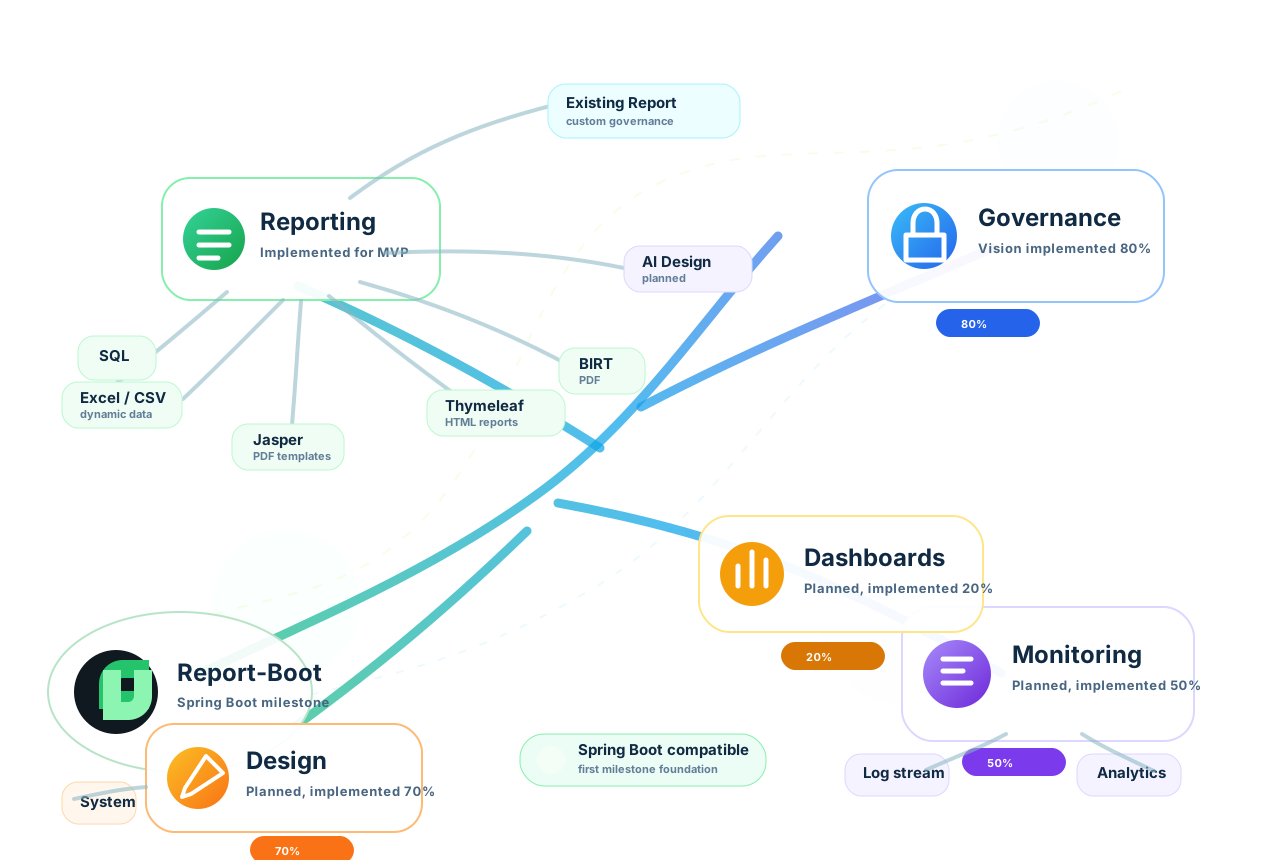
How it flows
| Developer passes | Example | Purpose |
|---|---|---|
| Config class | ExistingFinanceExportConfig.class | Stable report code, output, security and metadata |
| Bytes | byte[] bytes | Already-rendered file from the developer's current library |
| Output type | ReportOutput.EXCEL | Declares PDF, Excel, CSV, HTML or Word |
| File name | finance.xlsx | Optional override for the downloaded file name |
| Content type | application/vnd.openxmlformats-officedocument.spreadsheetml.sheet | Optional override when the default MIME type is not enough |
@ReportTemplate(
code = "existing-finance-export",
title = "Existing Finance Export",
templateFile = "existing-finance-export",
output = ReportOutput.EXCEL
)
@ReportEngineType(ReportEngine.CUSTOM)
@ReportFileName("finance.xlsx")
@ReportSecured(expiryMinutes = 30, oneTimeDownload = true)
@ReportDescription("Existing export governed by Report-Boot.")
public class ExistingFinanceExportConfig {
}byte[] bytes = existingFinanceExporter.export(request);
GeneratedReport report = customReportExportService.exportBytes(
ExistingFinanceExportConfig.class,
bytes,
ReportOutput.EXCEL,
"finance.xlsx",
"application/vnd.openxmlformats-officedocument.spreadsheetml.sheet");| ReportOutput | Extension | Default content type |
|---|---|---|
| application/pdf | ||
| EXCEL | .xlsx | application/vnd.openxmlformats-officedocument.spreadsheetml.sheet |
| CSV | .csv | text/csv |
| HTML | .html | text/html |
| WORD | .docx | application/vnd.openxmlformats-officedocument.wordprocessingml.document |
PDF byte rendering stays in the developer's existing renderer. For example, JasperReports, OpenHTMLToPDF, PDFBox, iText, BIRT, or a vendor service can produce the byte array. Report-Boot receives those bytes and governs the result.
byte[] pdf = existingPdfRenderer.render(request);
GeneratedReport report = customReportExportService.exportBytes(
ExistingFinancePdfConfig.class,
pdf,
ReportOutput.PDF,
"finance.pdf",
"application/pdf");After generation, controllers should download through ReportService and use the starter response helper. Attachment means the browser downloads the file. Inline means the browser may preview it in the tab, usually for PDF or HTML.
@GetMapping("/reports/{uuid}/download")
ResponseEntity<StreamingResponseBody> download(
@PathVariable UUID uuid,
@RequestParam(name = "token", required = false) String token) {
GeneratedReport report = token == null || token.isBlank()
? reportService.download(uuid)
: reportService.download(uuid, token);
return ReportDownloadResponseBuilder.attachment(report);
}| Method | Browser behavior | Recommended for |
|---|---|---|
| ReportDownloadResponseBuilder.attachment(report) | Download/save file | Excel, CSV, Word, sensitive PDF and most business reports |
| ReportDownloadResponseBuilder.inline(report) | Preview in browser when supported | Intentional PDF or HTML preview |
For email, attach the governed GeneratedReport or send a secure link. Secure links are better for sensitive reports because expiry, tokens, one-time download, checksum and download audit stay inside Report-Boot.
String downloadUrl = UriComponentsBuilder
.fromHttpUrl("https://app.example.com/reports/" + report.getReportOrderUuid() + "/download")
.queryParam("token", report.getAccessToken())
.toUriString();
reportEmailSender.send(ReportEmail.builder()
.to("finance@example.com")
.subject("Secure finance report")
.html("<p>Download your report: <a href=\"" + downloadUrl + "\">Open secure link</a></p>")
.metadata("deliveryMode", "secure-link")
.metadata("reportOrderUuid", report.getReportOrderUuid())
.build());| Report-Boot handles | Why teams use it |
|---|---|
| Report order UUID | One durable identity for download, email, audit, support and Insights |
| Storage and checksum | Consistent artifact storage and tamper detection |
| Access token and expiry | Time-limited secure links for existing reports |
| One-time download | Optional single-use access for sensitive reports |
| Email delivery | Attachment or secure-link delivery without custom plumbing |
| Insights metadata | Existing reports become visible to the incoming Insights platform |
Programmable Reports
Build rich workbooks and portable extracts from trusted SQL without maintaining a template.
Sliced Excel dashboard output pattern
One generated workbook can contain source data, interactive dashboard-style sheets, slicer-like filters, charts, KPIs, and a metadata dictionary from the same trusted SQL definition.
How it flows
The SQL module defines what data exists. The Excel module defines how that data behaves in a workbook. They meet through provider-neutral tabular contracts and the same ReportService lifecycle used by annotation reports.
SqlReportSheet invoices = SqlReportSheet.builder()
.sheetName("Invoices")
.sqlFile("invoice-report.sql")
.sortBy("Created On", "Invoice No")
.excel(excel -> excel
.header(style -> style
.backgroundColor(ExcelColors.Section.HEADER_BACKGROUND)
.fontColor(ExcelColors.Section.HEADER_TEXT)
.bold(true))
.column("Customer", column -> column.width(28))
.column("Total", column -> column.format(CurrencyExcelFormats.USD))
.formulaColumn("VAT", column -> column
.round("Total", 2)
.format(CurrencyExcelFormats.USD))
.formulaColumn("Grand Total", column -> column
.SUM("Total", "VAT")
.format(CurrencyExcelFormats.USD)))
.build();
SqlReportDefinition definition = SqlReportDefinition.builder()
.code("invoice-workbook")
.sheet(invoices)
.maxRows(500_000)
.queryTimeoutSeconds(120)
.fetchSize(1000)
.build();@GetMapping("/download")
ResponseEntity<byte[]> download(
@RequestParam LocalDate fromDate,
@RequestParam LocalDate toDate,
@RequestParam String tenantId,
@RequestParam(defaultValue = "EXCEL") ReportOutput output) {
GeneratedReport report = reportService.generate(
"invoice-workbook",
invoiceDefinitions.invoiceSummary(),
Map.of("fromDate", fromDate, "toDate", toDate, "tenantId", tenantId),
output
);
return downloadResponse(report);
}Business Column Names
The strongest usability feature: developers work with report headers, including calculated columns.
Alias SQL columns with the names the business sees. Every style, formula, group, chart, filter, KPI, summary, and slice then references those names. No A1 coordinates, no manual row arithmetic, and no coupling to database column names.
select customer_name as "Customer",
total as "Total"
from invoices
.column("Total", c -> c.format(CurrencyExcelFormats.USD))
.formulaColumn("VAT", c -> c.round("Total", 2))
.formulaColumn("Grand Total", c -> c.SUM("Total", "VAT"))
.summaryFooter(f -> f.formula("Grand Total", c -> c.SUM("Grand Total")))
.addChart(DynamicExcelColumnChart.of(c -> c
.categoryColumn("Customer")
.valueColumn("Grand Total")))- Calculated columns become first-class names: Grand Total can be summarized, styled, or referenced by later formulas.
- Column groups merge visual headers while formulas keep using stable names.
- Conditional formatting overrides the base column background only when its rule matches.
- Renaming a SQL alias produces a clear configuration mismatch instead of silently pointing to the wrong cell.
Builder Method Dictionary
A compact map of the report, sheet, and Excel builder surface.
| Method | What it gives the developer |
|---|---|
| SqlReportDefinition.code | Stable report identity used by generation and governance. |
| sheet / sheets | Adds one or more independently queried workbook sheets. |
| maxRows | Hard row guardrail per sheet; default 500,000. |
| queryTimeoutSeconds | JDBC query timeout; default 120 seconds. |
| fetchSize | JDBC streaming hint; default 1,000. |
| defaultParameters | Trusted defaults merged before request parameters. |
| dashboard | Workbook-level dashboard sheet and layout options. |
| sheetName | Human-readable Excel sheet name. |
| sql / sqlFile | Trusted inline query or classpath SQL under report-boot/sql. |
| parameters | Defaults scoped to one sheet. |
| groupBy | Creates repeated table sections using one or more column names. |
| sortBy | Orders rows predictably before grouping and rendering. |
| betweenGroupSpaceRows | Spacing between groups; grouping defaults to three rows. |
| excel | Configures the sheet using business column names. |
| addChart | Adds a typed chart contract to the generated dashboard. |
| addKpi | Adds a calculated dashboard KPI card. |
| addFilter | Adds an Excel-native filter linked to dashboard calculations. |
| addSlice | Adds a connected dropdown slice panel. |
| header | Styles the repeated table header. |
| column | Styles a source column by its SQL alias/header. |
| columnBackground | Sets a base color that specific styles and conditions may override. |
| columnGroup | Creates a merged parent header above related columns. |
| formulaColumn | Adds a calculated column by name; formulas can reference source or calculated columns. |
| summaryFooter | Adds per-group summaries and an all-groups summary. |
| conditionalFormat | Applies data-driven styles after base column styling. |
| sectionCell | Places merged titles, parameter values, text, or formulas above the table. |
| includeColumn | Limits output to an explicit column allowlist. |
Formula DSL
Use code completion and column names instead of hand-writing Excel expressions.
.formulaColumn("VAT", column -> column
.round("Total", 2)
.format(CurrencyExcelFormats.USD))
.formulaColumn("Grand Total", column -> column
.SUM("Total", "VAT", "Shipping"))
.formulaColumn("Invoice Label", column -> column
.concatenate("Customer", "Invoice No")) // default: " - "
.formulaColumn("Compact Label", column -> column
.concatenate("Customer", "Invoice No")
.symbol(" / "))
.formulaColumn("Payment Flag", column -> column
.IF("Paid", "Paid", "Outstanding"))SUM and similar functions accept varargs, so developers can pass any number of column names. concatenate assumes its String arguments are columns and inserts the default separator automatically. Raw formula(String) remains available for legacy formulas.
| Friendly helper | Use |
|---|---|
| SUM / sum | Add one or many columns or values. |
| AVERAGE / average | Mean of columns or values. |
| MIN, MAX, COUNT, COUNTA | Common aggregation without expression strings. |
| round, roundUp, roundDown | Value plus digits. |
| IF / ifElse, IFERROR, IFNA | Conditional and fallback expressions. |
| concatenate / join | Join named columns with a default or custom symbol. |
| ref, text, number, bool | Explicit operands for advanced formulas. |
| function | Escape hatch by name or ExcelFunction enum. |
| UPPERCASE methods | One discoverable method for every catalog entry below. |
Formula Function Catalog
272 uppercase methods generated from Apache POI's built-in Excel function metadata.
Call them directly, for example column.SUM(...), column.VLOOKUP(...), or column.NPV(...). Object... preserves Excel functions with variable or mixed argument shapes. This catalog reflects the current POI-backed implementation; newer Microsoft 365-only functions are not implied unless added to the library.
ABS, ABSREF, ACOS, ACOSH, ADDRESS, AND, APP_TITLE, AREAS, ARGUMENT, ASC,
ASIN, ASINH, ATAN, ATAN2, ATANH, AVEDEV, AVERAGE, AVERAGEA, BETADIST, BETAINV,
BINOMDIST, CALL, CEILING, CELL, CHAR, CHIDIST, CHIINV, CHITEST, CHOOSE, CLEAN,
CODE, COLUMN, COLUMNS, COMBIN, CONCATENATE, CONFIDENCE, CORREL, COS, COSH, COUNT,
COUNTA, COUNTBLANK, COUNTIF, COVAR, CRITBINOM, DATE, DATEDIF, DATESTRING, DATEVALUE,
DAVERAGE, DAY, DAYS360, DB, DBCS, DCOUNT, DCOUNTA, DDB, DEGREES, DEVSQ, DGET,
DMAX, DMIN, DOLLAR, DPRODUCT, DSTDEV, DSTDEVP, DSUM, DVAR, DVARP, ENABLE_TOOL,
END_IF, ERROR, ERROR_TYPE, EVALUATE, EVEN, EXACT, EXEC, EXP, EXPONDIST, FACT,
FALSE, FDIST, FIND, FINDB, FINV, FISHER, FISHERINV, FIXED, FLOOR, FORECAST,
FREQUENCY, FTEST, FV, GAMMADIST, GAMMAINV, GAMMALN, GEOMEAN, GET_CELL, GET_DOCUMENT,
GET_WINDOW, GET_WORKBOOK, GET_WORKSPACE, GETPIVOTDATA, GOTO, GROWTH, HARMEAN,
HLOOKUP, HOUR, HYPERLINK, HYPGEOMDIST, IF, INDEX, INDIRECT, INFO, INT, INTERCEPT,
IPMT, IRR, ISBLANK, ISERR, ISERROR, ISLOGICAL, ISNA, ISNONTEXT, ISNUMBER, ISPMT,
ISREF, ISTEXT, JIS, KURT, LARGE, LAST_ERROR, LEFT, LEFTB, LEN, LENB, LINEST, LN,
LOG, LOG10, LOGEST, LOGINV, LOGNORMDIST, LOOKUP, LOWER, MATCH, MAX, MAXA, MDETERM,
MEDIAN, MID, MIDB, MIN, MINA, MINUTE, MINVERSE, MIRR, MMULT, MOD, MODE, MONTH,
N, NA, NEGBINOMDIST, NORMDIST, NORMINV, NORMSDIST, NORMSINV, NOT, NOW, NPER,
NPV, NUMBERSTRING, ODD, OFFSET, OR, PEARSON, PERCENTILE, PERCENTRANK, PERMUT,
PHONETIC, PI, PMT, POISSON, POWER, PPMT, PRESS_TOOL, PROB, PRODUCT, PROPER, PV,
QUARTILE, RADIANS, RAND, RANK, RATE, REGISTER_ID, RELREF, REPLACE, REPLACEB, REPT,
RETURN, RIGHT, RIGHTB, ROMAN, ROUND, ROUNDDOWN, ROUNDUP, ROW, ROWS, RSQ,
SAVE_TOOLBAR, SEARCH, SEARCHB, SECOND, SIGN, SIN, SINH, SKEW, SLN, SLOPE, SMALL,
SQRT, STANDARDIZE, STDEV, STDEVA, STDEVP, STDEVPA, STEP, STEYX, SUBSTITUTE,
SUBTOTAL, SUM, SUMIF, SUMPRODUCT, SUMSQ, SUMX2MY2, SUMX2PY2, SUMXMY2, SYD, T,
TAN, TANH, TDIST, TEXT, TIME, TIMEVALUE, TINV, TODAY, TRANSPOSE, TREND, TRIM,
TRIMMEAN, TRUE, TRUNC, TTEST, TYPE, UPPER, USDOLLAR, VALUE, VAR, VARA, VARP,
VARPA, VDB, VLOOKUP, WEEKDAY, WEIBULL, WINDOW_TITLE, YEAR, YEN, ZTESTFormats, Colors, and Styles
Discover named choices through code completion instead of memorizing format strings and hex values.
| Class | Constants |
|---|---|
| CurrencyExcelFormats | USD, EUR, GBP, JPY, AUD |
| DateExcelFormats | DATE_ISO, DATE_SHORT, DATE_LONG, DATE_TIME_ISO, DATE_TIME_WITH_SECONDS, MONTH_NAME, YEAR_MONTH, WEEKDAY_SHORT |
| NumberExcelFormats | GENERAL, INTEGER, DECIMAL_2, DECIMAL_4, PLAIN_INTEGER, SCIENTIFIC, FRACTION |
| PercentExcelFormats | PERCENT, PERCENT_2, PERCENT_4 |
| TextExcelFormats | TEXT, PHONE_E164, POSTAL_CODE_US, POSTAL_CODE_CANADA |
| ExcelColors.Palette | BLACK, WHITE, GRAY_50/100/200/400/700, BRAND_BLUE, BRAND_BLUE_DARK |
| ExcelColors.Status | SUCCESS_BG/TEXT, ERROR_BG/TEXT, WARNING_BG/TEXT, INFO_BG/TEXT |
| ExcelColors.Section | HEADER_BACKGROUND/TEXT, SUBTITLE_BACKGROUND/TEXT |
.columnBackground("Status", ExcelColors.Palette.GRAY_50)
.column("Status", c -> c.bold(true))
.conditionalFormat("Status", rule -> rule
.equalTo("Failed")
.style(s -> s
.backgroundColor(ExcelColors.Status.ERROR_BG)
.fontColor(ExcelColors.Status.ERROR_TEXT)))The base column background is applied first. Explicit column style and matching conditional rules may override it, which makes a sensible default coexist with exception highlighting.
Groups, Summaries, and Sections
Create repeatable report sections in one sheet, with isolated totals and a final grand total.
SqlReportSheet.builder()
.sheetName("Department Report")
.sqlFile("department-report.sql")
.groupBy("Department", "Market")
.sortBy("Department", "Market", "Employee")
.betweenGroupSpaceRows(3)
.excel(excel -> excel
.columnGroup("Employee", "Department", "Market", "Employee")
.columnGroup("Money", "Gross", "VAT", "Net")
.summaryFooter(footer -> footer
.label("Slice Total")
.labelColumn("Employee")
.formula("Gross", f -> f.SUM("Gross"))
.formula("VAT", f -> f.SUM("VAT"))
.formula("Net", f -> f.SUM("Net"))))
.build();- Rows are sorted before the group key is evaluated.
- Each group repeats merged parent headers and normal column headers.
- Each group summary references only that group's row range.
- After the final group, Report-Boot writes an all-groups total summary.
- If spacing is omitted, grouped output uses three blank rows.
.sectionCell(new DynamicExcelSectionCell(
1, 1,
DynamicExcelSectionCellType.TEXT,
"Monthly Revenue Report",
DynamicExcelCellStyle.of(s -> s.bold(true).fontSize(16)),
5, 1
))A section cell is content placed before the generated table. Use it for report titles, parameter values, prepared labels, or formulas. Its row, column, merge width/height, value type, and style are explicit while the table starts below the reserved section.
Dashboards, Charts, and Slices
Declare analytical intent by column name; Report-Boot owns workbook drawing and placement.
How it flows
| Chart contract | Best use |
|---|---|
| DynamicExcelLineChart | Time and ordered-category trends. |
| DynamicExcelColumnChart | Category comparison. |
| DynamicExcelColumnPercentageChangeChart | Values with a percentage movement overlay. |
| DynamicExcelBarChart | Rankings and long category labels. |
| DynamicExcelAreaChart | Volume and accumulated trend emphasis. |
| DynamicExcelPieChart | Small part-to-whole comparisons. |
| DynamicExcelDoughnutChart | Part-to-whole with center space. |
| DynamicExcelScatterChart | Numeric X/Y relationships; categoryColumn must be numeric. |
| DynamicExcelRadarChart | Profiles and pattern comparison. |
.addKpi(DynamicExcelKpiCard.of(kpi -> kpi
.title("Sliced Revenue")
.valueColumn("Revenue")
.aggregation(DynamicExcelAggregationType.SUM)))
.addSlice(DynamicExcelDropdownSlice.of(slice -> slice
.title("Payment Status")
.column("Payment Status")))
.addChart(DynamicExcelLineChart.of(chart -> chart
.title("Revenue Trend")
.categoryColumn("Day Label")
.valueColumn("Revenue")))The developer does not calculate chart anchors or build Apache POI drawing objects. Charts are placed in declaration order on a standard two-column dashboard grid. Connected slices drive the hidden model, KPIs, and charts from familiar business headers.
Streaming, Metadata, and CSV
Production controls stay outside business definitions and can be tuned centrally.
| Setting | Default | Meaning |
|---|---|---|
| max-rows-per-sheet | 1,048,576 | Excel row boundary/guardrail. |
| overflow-policy | SPLIT_SHEETS | Continue in numbered sheets when needed. |
| window-size | 1,000 | SXSSF rows retained in memory. |
| compress-temp-files | true | Trades CPU for smaller temporary files. |
| auto-size-columns | false | Width estimation is opt-in for predictable large-export cost. |
| freeze-header / auto-filter | true / true | Usable generated tables by default. |
| include-metadata-sheet | false | Adds report identity, parameters, and data dictionary. |
The same SqlReportDefinition can request ReportOutput.CSV. A single sheet becomes CSV; multiple sheets are packaged as a ZIP. CSV intentionally ignores Excel-only styles, formulas, charts, and dashboard controls.
Delivery & Observability
Delivery & Observability
Review these topics in order, or jump directly to the card you need.
Email Library
Deliver any supported report manually or on a governed schedule, as an attachment or secure link.
The email module is provider-neutral. It can generate from an annotation DTO, generate a SQL/builder report, or attach an already generated report. Email templates live under report-boot/email-templates so presentation stays outside Java strings.
<dependency>
<groupId>com.reportboot</groupId>
<artifactId>report-boot-email</artifactId>
<version>0.1.0-MVP</version>
</dependency>| Feature | When | Governance/safety |
|---|---|---|
| Manual attachment | A request or domain service decides now | Idempotency key prevents accidental retries |
| SQL/builder attachment | Report has no annotation DTO | Same delivery service accepts definitions and parameters |
| Secure link | Attachment is large or sensitive | Signed token + rb_report_order expiry + optional one-time claim |
| @ReportEmailJob | Cron-driven recurring delivery | Job synchronized to rb_email_job and checked before each run |
| @ReportEmailCondition | Send only when report/domain data qualifies | Skipped outcomes remain visible |
| Distributed idempotency | Multiple application instances may fire | Database claim prevents duplicate sends |
| rb_email_run / rb_email_log | Operations and troubleshooting | Every run and terminal outcome has rich context |
spring:
mail:
host: ${REPORT_BOOT_SMTP_HOST}
port: ${REPORT_BOOT_SMTP_PORT:587}
username: ${REPORT_BOOT_SMTP_USERNAME}
password: ${REPORT_BOOT_SMTP_PASSWORD}
report-boot:
email:
enabled: true
from: ${REPORT_BOOT_EMAIL_FROM}
templates-path: classpath:/report-boot/email-templatesEmail Delivery
Send any generated provider output as an attachment or send a short-lived secure link.
How it flows
ReportEmail email = ReportEmail.builder()
.jobKey("month-end-invoice")
.idempotencyKey("invoice-2026-07-final")
.to("finance@example.com")
.subject("Invoice report")
.template("invoice-report-ready")
.data("invoiceNumber", "INV-1001")
.metadata("username", currentUser)
.metadata("tenantId", tenantId)
.attachReport(invoiceDto)
.build();
ReportEmailResult result = reportEmailSender.send(email);- Templates live under report-boot/email-templates and use {{name}} placeholders.
- The sender is governed by configuration, not arbitrary request values.
- A duplicate is returned as SKIPPED and remains visible in email governance logs.
- Use a stable business idempotency key for scheduled/event flows; omit it in ad hoc testing only when repeats are intended.
Scheduled Email Jobs
A Spring bean registers itself, syncs to the database, and executes only while the job is active.
How it flows
@Component
@ReportEmailJob(
key = "daily-invoice-email",
name = "Daily Invoice Email",
cron = "0 0 8 * * *",
subject = "Daily invoice report",
template = "daily-invoice-email"
)
@ReportEmailCondition(
field = "totalAmount",
operator = ReportEmailConditionOperator.GREATER_THAN,
value = "0"
)
class DailyInvoiceEmailJob implements ReportEmailJobProvider {
public ReportEmail buildEmail() {
return ReportEmail.builder()
.to(recipient)
.template("daily-invoice-email")
.attachReport(sampleReport())
.build();
}
}The database row is the operational switch. Developers keep the declarative cron and build logic in code; operators can disable a job without redeploying. JDBC idempotency prevents duplicate sends across service instances.
Secure Download Links
Email a signed URL without putting report content or raw tokens in the database.
How it flows
report-boot:
orders:
type: jdbc
storage:
type: filesystem
content-root: /var/lib/report-boot/reports
access-token:
enabled: true
secret: ${REPORT_BOOT_ACCESS_TOKEN_SECRET}
issuer: report-boot
download-page:
enabled: true
mode: render
redirect-url: /report-boot/download-unavailable
page-location: ""
include-details-in-redirect: trueToken lifetime comes from @ReportSecured.expiryMinutes and never outlives the durable report order. Developers may replace the default unavailable page with a classpath/file page or redirect URL; old report URLs pass through the same download handler and receive the new failure experience.
Database and Governance
Framework tables are predictable, prefixed, schema-aware, and safe to initialize on startup.
| Default table | Owner | Purpose |
|---|---|---|
| rb_report_order | Starter | Durable UUID, expiry, status, storage reference, token hash, and download state. |
| rb_log | Starter | Central report generation/download governance across engines. |
| rb_email_job | Registered cron definition and active switch. | |
| rb_email_idempotency | Distributed duplicate-send reservation and expiry. | |
| rb_email_run | One scheduled/manual trigger execution. | |
| rb_email_log | Rich delivery result, recipients, report, template, identity, errors, and metadata. | |
| rb_insight_* | Insights | Operational catalog, orders, failures, and analytics using the module-owned insight segment. |
report-boot:
database:
initialize-schema: true
schema: reporting
table-prefix: rb_Startup initialization uses create schema/table/index if not exists and does not drop or alter data. Disable initialize-schema and reproduce the definitions in Flyway or Liquibase when your organization requires migration ownership.
Insights API Library
Stable observability contracts without forcing a storage technology.
Add the API module when a service, control center or custom sink must exchange Report-Boot telemetry. It contains DTOs and interfaces only; it does not install a Logback appender or database implementation.
| Contract | Purpose |
|---|---|
| ReportBootInsightEvent | Structured lifecycle event exchanged with insight consumers |
| ReportBootInsightEventWriter | Application/provider boundary for emitting structured events |
| ReportBootLogEntry | Serializable library-log record with level, logger, correlation and exception data |
| ReportBootLogSink | Persistence/forwarding port implemented by the consuming application |
| Dashboard and audit DTOs | Stable read models for control-center integrations |
@Component
class JpaReportBootLogSink implements ReportBootLogSink {
private final LibraryLogEntryRepository repository;
@Override
public void persist(ReportBootLogEntry entry) {
repository.save(ReportBootLogEntity.from(entry));
}
}Insights Spring Boot Starter
Automatically capture Report-Boot library logs and forward them to your sink.
The starter registers ReportBootLibraryLogbackAppender, captures the com.reportboot hierarchy or REPORT_BOOT_LIBRARY marker, buffers events in a ring buffer and calls the available ReportBootLogSink.
report-boot:
insights:
enabled: true
mode: db_only
logs:
enabled: true
logger-prefix: com.reportboot
marker: REPORT_BOOT_LIBRARY
ring-buffer-size: 1000| Setting | When/why |
|---|---|
| enabled | Master switch for the runtime capture integration |
| logs.enabled | Disable only log capture while retaining other future insight behavior |
| logger-prefix | Narrow capture to Report-Boot or an application-specific hierarchy |
| marker | Include explicitly marked records outside the normal prefix |
| ring-buffer-size | Balance recent live-stream history against application memory |
| mode | Reserved for future routing; current forwarding still depends on the sink |
For a full operational view, pair this starter with the API contracts, a persistence sink, the control-center SSE endpoints and the Insights web application. Correlation ID, report code/name, engine, output, user and exception details should be populated at centralized boundaries.
Insights and Log Streaming
Inspect reports by correlation ID, report code, engine, output, instance, user, tenant, status, and failure.
How it flows
- rb_log is the centralized audit source for extraction operations.
- rb_email_log adds email-specific delivery detail.
- SSE clients must send Accept: text/event-stream and keep the connection open.
- The console appends from top to bottom; the newest log appears at the bottom like a real terminal.
- Use correlationId to connect an API request, report generation, renderer, storage, download, and email result.
Design & AI
Design & AI
Review these topics in order, or jump directly to the card you need.
Designer Library
A trusted JSON contract that turns visual report intent into an executable SQL definition.
The Designer library is a backend contract/mapping layer, not the canvas itself. A frontend posts DesignerSqlExcelRequest; the definition service validates it, resolves trusted dataSourceRef values, and builds SqlReportDefinition for normal SQL + Excel execution.
How it flows
| Contract | What the developer controls |
|---|---|
| DesignerSqlExcelRequest | Report code, parameters, sheets and execution limits |
| DesignerSqlExcelSheet | Trusted source reference, visible columns, formulas and sheet options |
| DesignerFormulaColumn | Calculated business column |
| DesignerConditionalFormat | Data-driven style rules |
| DesignerSummaryFooter | Sheet/group aggregate definitions |
| DesignerSqlExcelDataSourceRegistry | Server-owned mapping from safe key to trusted SQL |
| DesignerSqlExcelDefinitionService | Validation and conversion into executable builders |
@PostMapping("/api/reports/designer/sql-excel/download")
ResponseEntity<byte[]> download(@RequestBody DesignerSqlExcelRequest request) {
SqlReportDefinition definition = designerDefinitionService.buildDefinition(request);
GeneratedReport report = reportService.generate(
request.reportCode(), definition, request.parameters(), ReportOutput.EXCEL);
return downloadResponse(report);
}Never accept arbitrary SQL from an untrusted browser. Prefer dataSourceRef so the server owns query text, tenant restrictions and allowed parameters.
Designer JSON
Convert a governed visual definition into the same trusted SQL/Excel runtime.
How it flows
The designer request can describe sheets, columns, formulas, styles, conditional rules, groups, and summaries. It references a trusted server-side data source; it must not become an endpoint for arbitrary untrusted SQL.
@PostMapping(value = "/download", consumes = MediaType.APPLICATION_JSON_VALUE)
ResponseEntity<byte[]> download(@RequestBody DesignerSqlExcelRequest request) {
SqlReportDefinition definition = definitions.buildDefinition(request);
GeneratedReport report = reportService.generate(
definitions.reportCode(request), definition, request.parameters(), ReportOutput.EXCEL);
return downloadResponse(report);
}AI Library
A secured server-side Gemini bridge that assists design without exposing provider secrets.
Report-Boot AI proposes or explains Designer JSON; it does not render report files. Design mode returns a currentRequest-compatible definition, while chat mode returns an answer and rejects design-shaped output.
How it flows
report-boot:
ai:
enabled: true
max-prompt-characters: 4000
gemini:
api-key: ${REPORT_BOOT_AI_GEMINI_API_KEY}
default-model: gemini-flash-latest
allowed-models: [gemini-flash-latest, gemini-2.5-flash]
request-timeout: 45s
temperature: 0.2
designer-proxy:
enabled: true
require-proxy-token: true
token-header: X-Report-Boot-AI-Token
proxy-token: ${REPORT_BOOT_AI_PROXY_TOKEN}| Guardrail | Why |
|---|---|
| Provider API key stays on server | Browser users cannot extract the Gemini credential |
| Proxy token required in production | Only approved clients can spend provider quota |
| Allowed model list | Controls cost and contract compatibility |
| Prompt length + timeout | Bounds abuse and stalled requests |
| Human review before execution | AI output is a proposed definition, not trusted SQL |
AI-Assisted Design
Keep provider credentials server-side and constrain models, prompts, and proxy access.
report-boot:
ai:
enabled: false
max-prompt-characters: 4000
gemini:
api-key: ${REPORT_BOOT_AI_GEMINI_API_KEY}
default-model: gemini-flash-latest
allowed-models: [gemini-flash-latest, gemini-2.5-flash]
request-timeout: 45s
temperature: 0.2
designer-proxy:
enabled: true
path: /api/report-boot/ai/designer/generate
require-proxy-token: true
token-header: X-Report-Boot-AI-Token
proxy-token: ${REPORT_BOOT_AI_PROXY_TOKEN}AI proposes a designer contract; backend validation and trusted data-source rules remain authoritative. Never expose the Gemini key in the browser.
Demo & API Testing
Demo & API Testing
Review these topics in order, or jump directly to the card you need.
Demo Application
The executable reference for APIs, templates, SQL, SMTP, secure links, governance and Postman.
Do not add report-boot-demo as a production dependency. Run it locally to see how every public library is composed, inspect controllers and definitions, and exercise the same requests from the supplied Postman collection.
./mvnw spring-boot:run -pl library/report-boot-demo -am| Demo area | What it proves | Start with |
|---|---|---|
| Jasper/JXLS/BIRT/Thymeleaf | Annotation DTO + template provider lifecycle | POST /api/reports/{provider}/invoice/download |
| SQL + Excel/CSV | Definition-first multi-output reporting | GET /api/reports/sql/invoices/download |
| Formula catalog | Fluent function surface and named calculated columns | GET /api/reports/sql/invoices/formulas/all/download |
| Grouped workbook | sortBy, groupBy, repeated headers and summaries | GET /api/reports/sql/invoices/group-sort/download |
| Excel dashboards | Charts, filters, slices and metadata | Dashboard cookbook endpoints |
| Designer | JSON to trusted SQL definition | POST /api/reports/designer/sql-excel/download |
| Attachments and five-minute secure link | POST /api/reports/email/thymeleaf/invoice | |
| Governance | rb_log, rb_report_order and email tables | Inspect PostgreSQL after requests |
Run the Demo
Start the reference application, then use the cookbooks exactly as shown.
How it flows
$env:REPORT_BOOT_DATASOURCE_URL="jdbc:postgresql://localhost:5432/report_boot_control_center"
$env:REPORT_BOOT_DATASOURCE_USERNAME="report_boot"
$env:REPORT_BOOT_DATASOURCE_PASSWORD="report_boot"
mvn -pl library/report-boot-demo -am spring-boot:runThe demo registers all provider modules, SQL/Excel, CSV, Designer, AI, Email, PostgreSQL, filesystem storage, JDBC orders, and governance. It listens on port 8080.
Postman and Demo APIs
Import one collection, set environment variables, and test every library against the demo.
How it flows
./mvnw spring-boot:run -pl library/report-boot-demo -amdocs/postman/report-boot-demo.postman_collection.json| Variable | Initial value | Used by |
|---|---|---|
| baseUrl | http://localhost:8080 | Every request |
| reportOrderUuid | empty | Two-step generate/download tests |
| fromDate / toDate | 2026-06-01 / 2026-06-30 | SQL reports |
| tenantId | tenant-demo | Tenant-aware SQL |
| emailTo | developer@example.com | Email tests |
| invoiceNumber | RB-EMAIL-001 | Template and email examples |
Use Send and Download for binary PDF/XLSX/ZIP requests. For metadata endpoints, store response.reportOrderUuid in the environment, then call the matching GET endpoint. For Thymeleaf HTML, Postman Preview shows the rendered document.
| Collection guide | Coverage |
|---|---|
| report-boot-core | Lifecycle, validation and unknown UUID |
| report-boot-spring-boot-starter | Auto-configured provider and order flow |
| report-boot-jasper / birt / jxls / thymeleaf | Provider-specific generate and download |
| report-boot-sql / excel / excel-dashboard / csv | Definitions, formulas, grouping, charts, slices and alternate output |
| report-boot-designer | Designer JSON request and XLSX attachment |
| report-boot-email | Attachments, secure links and logs |
| report-boot-demo | Recommended folders and complete integration surface |
const body = pm.response.json();
pm.environment.set("reportOrderUuid", body.reportOrderUuid);The Markdown files under docs/postman remain the detailed request oracle. The website cookbooks below translate them into end-to-end developer stories and include the API path beside the Java definition that powers it.
Reference
Reference
Review these topics in order, or jump directly to the card you need.
Complete Configuration
Search every implemented configuration family, default, value shape, and operational meaning.
Searchable property reference
108 of 108 properties shown.
| Module | Property | Type | Default | Expected | Explanation |
|---|---|---|---|---|---|
| Core | report-boot.templates-path | String | classpath:/report-boot/report-templates | Classpath or filesystem path | Base path used by template providers. |
| Core | report-boot.default-output | ReportOutput | Provider-supported output | Default output when a report does not override it. | |
| Database | report-boot.database.initialize-schema | Boolean | true | true, false | Creates missing framework schemas, tables, and indexes on startup. |
| Database | report-boot.database.schema | String | public | Safe SQL identifier | Schema containing Report-Boot framework tables. |
| Database | report-boot.database.table-prefix | String | rb_ | Safe identifier prefix | Global prefix; each module adds its owned segment. |
| Storage | report-boot.storage.type | String | filesystem | filesystem | Generated content storage implementation. |
| Storage | report-boot.storage.content-root | String | target/report-boot/reports | Writable path | Root directory used by FileSystemReportContentStore. |
| Orders | report-boot.orders.type | String | memory | memory, jdbc | Durable JDBC state is required for shared expiry and one-time downloads. |
| Security | report-boot.security.enabled | Boolean | true | true, false | Enables report lifecycle security behavior. |
| Security | report-boot.security.default-expiry-minutes | Integer | 30 | > 0 | Default expiry window for generated report orders. |
| Security | report-boot.security.max-expiry-minutes | Integer | 1440 | > 0 | Upper bound applied to annotation-requested expiry. |
| Security | report-boot.security.watermark-enabled | Boolean | true | true, false | Default watermark behavior used by secured reports. |
| Security | report-boot.security.one-time-download-enabled | Boolean | false | true, false | Global default for one-time report download claims. |
| Secure Links | report-boot.access-token.enabled | Boolean | false | true, false | Issues and validates Report-Boot signed download tokens. |
| Secure Links | report-boot.access-token.issuer | String | report-boot | Issuer name | Issuer claim used in Report-Boot download tokens. |
| Secure Links | report-boot.access-token.secret | String | Strong secret from environment | HMAC secret used to sign Report-Boot download tokens. | |
| Download Page | report-boot.download-page.enabled | Boolean | true | true, false | Enables friendly handling for unavailable downloads. |
| Download Page | report-boot.download-page.mode | String | render | render, redirect | Renders the built-in/custom page or redirects to an application URL. |
| Download Page | report-boot.download-page.page-location | String | Classpath or file location | Optional custom unavailable-page resource. | |
| Secure Links | report-boot.download-page.redirect-url | String | /report-boot/download-unavailable | Application path or URL | Where expired, used, missing, and forbidden download links redirect. |
| Download Page | report-boot.download-page.include-details-in-redirect | Boolean | true | true, false | Adds safe reason details to configured redirects. |
| Download Page | report-boot.download-page.support-message | String | Please request a fresh secure link... | User-facing text | Support guidance on the default unavailable page. |
| Diagnostics | report-boot.diagnostics.include-stack-trace | Boolean | false | true, false | Clean root-cause errors by default; full traces when true. |
| Governance | report-boot.governance.enabled | Boolean | true | true, false | Enables centralized rb_log governance records when configured. |
| Governance | report-boot.governance.instance-name | String | Service/instance identity | Identifies the emitting application instance in governance records. | |
| Starter | report-boot.compilation.compile-on-startup | Boolean | false | true, false | Precompile supported templates during application startup. |
| Starter | report-boot.compilation.fail-on-startup-error | Boolean | true | true, false | Invalid templates fail startup when enabled. |
| Starter | report-boot.compilation.startup-threads | Integer | 0 | >= 0 | Compilation worker count; zero lets Report-Boot choose. |
| Excel | report-boot.excel.enabled | Boolean | true | true, false | Activates template-free Excel auto-configuration. |
| SQL | report-boot.sql.enabled | Boolean | true | true, false | Enables SQL report auto-configuration when JDBC is available. |
| SQL | report-boot.sql.file-name-suffix | String | .xlsx | File extension | Suffix appended to SQL-generated report filenames. |
| SQL | report-boot.sql.expiry-minutes | Integer | 30 | > 0 | Download expiry window for SQL-generated reports. |
| SQL | report-boot.sql.tenant.column | String | Database column name | Enables tenant enforcement for SQL reports. | |
| SQL | report-boot.sql.tenant.parameter-name | String | tenantId | Named parameter | Parameter used to pass tenant value into SQL reports. |
| SQL | report-boot.sql.tenant.detect-from-token | Boolean | false | true, false | Reads tenant from current security token when possible. |
| SQL | report-boot.sql.tenant.token-attribute-name | String | tenant_id | JWT or principal attribute | Claim or attribute used for tenant detection. |
| SQL Excel | report-boot.sql.excel.sheet-name | String | Report | Excel-safe sheet name | Default sheet name for generated dynamic Excel reports. |
| SQL Excel | report-boot.sql.excel.max-rows-per-sheet | Integer | 1048576 | 1..1048576 | Maximum rows per generated sheet. |
| SQL Excel | report-boot.sql.excel.overflow-policy | Enum | SPLIT_SHEETS | SPLIT_SHEETS or supported policy | Behavior when row count exceeds the sheet limit. |
| SQL Excel | report-boot.sql.excel.window-size | Integer | 1000 | >= 1 | SXSSF rows retained in memory. |
| SQL Excel | report-boot.sql.excel.compress-temp-files | Boolean | true | true, false | Compresses temporary files created by streaming Excel. |
| SQL Excel | report-boot.sql.excel.auto-size-columns | Boolean | false | true, false | Calculates column widths from sampled rows when enabled. |
| SQL Excel | report-boot.sql.excel.max-auto-size-rows | Integer | 1000 | >= 0 | Rows sampled for width calculation. |
| SQL Excel | report-boot.sql.excel.freeze-header | Boolean | true | true, false | Freezes generated table headers. |
| SQL Excel | report-boot.sql.excel.auto-filter | Boolean | true | true, false | Adds Excel filters to generated headers. |
| SQL Excel | report-boot.sql.excel.include-metadata-sheet | Boolean | false | true, false | Adds workbook metadata and dictionary sheet. |
| SQL Excel | report-boot.sql.excel.metadata-sheet-name | String | _Report Info | Excel-safe sheet name | Name of the optional metadata sheet. |
| SQL Excel | report-boot.sql.excel.hide-metadata-sheet | Boolean | false | true, false | Hides metadata while keeping it in the workbook. |
| CSV | report-boot.csv.enabled | Boolean | true | true, false | Activates dynamic CSV rendering. |
| CSV | report-boot.csv.delimiter | String | , | Single delimiter | Separator written between CSV fields. |
| CSV | report-boot.csv.include-header | Boolean | true | true, false | Writes rendered column headers. |
| CSV | report-boot.csv.charset | String | UTF-8 | Supported charset | Encoding used for generated CSV. |
| report-boot.email.enabled | Boolean | true | true, false | Enables report email support when dependencies are present. | |
| report-boot.email.from | String | Email address | Governed SMTP sender address. | ||
| report-boot.email.from-name | String | Report-Boot | Display name | Governed SMTP sender display name. | |
| report-boot.email.instance-name | String | Service/instance identity | Instance captured in email governance logs. | ||
| report-boot.email.templates-path | String | classpath:/report-boot/email-templates | Classpath or filesystem path | Email template root. | |
| report-boot.email.fail-when-missing-sender | Boolean | true | true, false | Fails clearly when no sender is configured. | |
| report-boot.email.idempotency.enabled | Boolean | true | true, false | Prevents duplicate email triggers. | |
| report-boot.email.idempotency.key-prefix | String | report-email | Short key namespace | Namespaces generated idempotency keys. | |
| report-boot.email.idempotency.ttl | Duration | 24h | Spring Duration | Retention window for duplicate reservations. | |
| report-boot.email.jobs.scheduling-enabled | Boolean | true | true, false | Discovers and schedules @ReportEmailJob beans. | |
| report-boot.email.jobs.sync-mode | String | create-missing | create-missing | Creates missing job rows without overwriting operator state. | |
| SMTP | REPORT_BOOT_SMTP_FROM_NAME | Environment | Report-Boot | Display name | Maps to report-boot.email.from-name in the demo. |
| SMTP | REPORT_BOOT_SMTP_HOST | Environment | SMTP host | SMTP server host configured outside source code. | |
| SMTP | REPORT_BOOT_SMTP_PORT | Environment | 587 | SMTP port | SMTP server port. |
| SMTP | REPORT_BOOT_SMTP_USERNAME | Environment | SMTP username | SMTP account username. | |
| SMTP | REPORT_BOOT_SMTP_PASSWORD | Environment | SMTP/app password | SMTP credential; keep it secret. | |
| SMTP | REPORT_BOOT_SMTP_FROM | Environment | Email address | Default sender address. | |
| SMTP | REPORT_BOOT_SMTP_AUTH | Environment | true | true, false | Enables SMTP authentication in the demo. |
| SMTP | REPORT_BOOT_SMTP_STARTTLS | Environment | true | true, false | Enables STARTTLS in the demo. |
| SMTP | REPORT_BOOT_SMTP_CONNECTION_TIMEOUT | Environment | 5000 | Milliseconds | SMTP connection timeout. |
| SMTP | REPORT_BOOT_SMTP_TIMEOUT | Environment | 5000 | Milliseconds | SMTP read timeout. |
| SMTP | REPORT_BOOT_SMTP_WRITE_TIMEOUT | Environment | 5000 | Milliseconds | SMTP write timeout. |
| Jasper | report-boot.renderer.jasper.enabled | Boolean | true | true, false | Enables Jasper provider when JasperReports is on the classpath. |
| Jasper | report-boot.renderer.jasper.templates-path | String | classpath:/report-boot/report-templates | Classpath or filesystem path | Jasper template root. |
| Jasper | report-boot.renderer.jasper.cache-compiled-templates | Boolean | true | true, false | Caches compiled Jasper templates. |
| JXLS | report-boot.renderer.jxls.enabled | Boolean | true | true, false | Enables JXLS provider when JXLS is on the classpath. |
| JXLS | report-boot.renderer.jxls.content-type | String | application/vnd...sheet | MIME type | Content type returned for JXLS output. |
| JXLS | report-boot.renderer.jxls.throw-template-exceptions | Boolean | true | true, false | Surfaces template processing failures. |
| BIRT | report-boot.renderer.birt.enabled | Boolean | true | true, false | Enables BIRT provider when BIRT is on the classpath. |
| BIRT | report-boot.renderer.birt.templates-path | String | classpath:/report-boot/report-templates | Classpath or filesystem path | BIRT design root. |
| BIRT | report-boot.renderer.birt.cache-compiled-templates | Boolean | true | true, false | Caches prepared BIRT artifacts. |
| BIRT | report-boot.renderer.birt.content-type | String | application/pdf | MIME type | BIRT response content type. |
| Thymeleaf | report-boot.renderer.thymeleaf.enabled | Boolean | true | true, false | Enables Thymeleaf provider when Thymeleaf is on the classpath. |
| Thymeleaf | report-boot.renderer.thymeleaf.templates-path | String | classpath:/report-boot/report-templates | Classpath location | Template path for Thymeleaf reports. |
| Thymeleaf | report-boot.renderer.thymeleaf.encoding | String | UTF-8 | Supported encoding | Template and response encoding. |
| Thymeleaf | report-boot.renderer.thymeleaf.content-type | String | text/html;charset=UTF-8 | MIME type | Generated HTML content type. |
| Thymeleaf | report-boot.renderer.thymeleaf.template-mode | String | HTML | Thymeleaf mode | Template parsing mode. |
| Insights | report-boot.insights.enabled | Boolean | true | true, false | Activates the Insights starter. |
| Insights | report-boot.insights.mode | String | db_only | db_only or supported mode | Selects the Insights event pipeline. |
| Insights | report-boot.insights.logs.enabled | Boolean | true | true, false | Captures library log events for the console. |
| Insights | report-boot.insights.logs.logger-prefix | String | com.reportboot | Logger prefix | Limits captured logs to Report-Boot packages. |
| Insights | report-boot.insights.logs.marker | String | REPORT_BOOT_LIBRARY | Marker name | Marker used to identify framework log events. |
| Insights | report-boot.insights.logs.ring-buffer-size | Integer | 1000 | > 0 | Recent events retained for SSE subscribers. |
| AI | report-boot.ai.enabled | Boolean | false | true, false | Activates AI-assisted designer services. |
| AI | report-boot.ai.max-prompt-characters | Integer | 4000 | > 0 | Prompt-size guardrail. |
| AI | report-boot.ai.gemini.api-key | String | Secret | Server-side Gemini API key. | |
| AI | report-boot.ai.gemini.default-model | String | gemini-flash-latest | Allowed model | Default model selected by the service. |
| AI | report-boot.ai.gemini.allowed-models | List | 4 configured models | Model allowlist | Prevents arbitrary model selection. |
| AI | report-boot.ai.gemini.base-url | String | Google v1beta URL | HTTPS URL | Gemini API base URL. |
| AI | report-boot.ai.gemini.request-timeout | Duration | 45s | Spring Duration | AI request timeout. |
| AI | report-boot.ai.gemini.temperature | Double | 0.2 | 0..1 | Low-variance design generation. |
| AI | report-boot.ai.designer-proxy.enabled | Boolean | true | true, false | Enables the protected backend proxy. |
| AI | report-boot.ai.designer-proxy.path | String | /api/report-boot/ai/designer/generate | Application path | AI designer proxy endpoint. |
| AI | report-boot.ai.designer-proxy.require-proxy-token | Boolean | true | true, false | Requires a proxy token. |
| AI | report-boot.ai.designer-proxy.token-header | String | X-Report-Boot-AI-Token | HTTP header | Header carrying the proxy credential. |
| AI | report-boot.ai.designer-proxy.proxy-token | String | Secret | Expected backend proxy credential. |
Environment Checklist
Keep secrets and deployment-specific identity outside source control.
REPORT_BOOT_DATASOURCE_URL=jdbc:postgresql://db:5432/report_boot
REPORT_BOOT_DATASOURCE_USERNAME=report_boot
REPORT_BOOT_DATASOURCE_PASSWORD=<secret>
REPORT_BOOT_DATABASE_SCHEMA=public
REPORT_BOOT_INSTANCE_NAME=billing-service-01
REPORT_BOOT_STORAGE_CONTENT_ROOT=/var/lib/report-boot/reports
REPORT_BOOT_ACCESS_TOKEN_SECRET=<at-least-32-random-bytes>
REPORT_BOOT_ACCESS_TOKEN_ISSUER=report-boot
REPORT_BOOT_SMTP_HOST=smtp.example.com
REPORT_BOOT_SMTP_PORT=587
REPORT_BOOT_SMTP_USERNAME=reports@example.com
REPORT_BOOT_SMTP_PASSWORD=<smtp-secret-or-app-password>
REPORT_BOOT_SMTP_FROM=reports@example.com
REPORT_BOOT_SMTP_FROM_NAME=Report-Boot
REPORT_BOOT_SMTP_AUTH=true
REPORT_BOOT_SMTP_STARTTLS=true
REPORT_BOOT_AI_GEMINI_API_KEY=<optional-secret>
REPORT_BOOT_AI_PROXY_TOKEN=<optional-secret>- Use a shared filesystem/object-store implementation when instances do not share a local volume.
- Use JDBC orders for expiry and one-time downloads across instances.
- Rotate token and SMTP secrets through your secret manager.
- Give each instance a useful name for governance filtering.
Production Checklist
A short review before the first real report leaves the service.
- Use JDBC report orders and a production DataSource.
- Choose storage whose content is reachable by every serving instance.
- Configure tenant filtering for multi-tenant SQL reports.
- Set maxRows, query timeout, fetch size, and Excel streaming limits.
- Use an application-specific SecurityProvider and access policy.
- Use a strong access-token secret and HTTPS links.
- Use business idempotency keys for scheduled/event emails.
- Enable governance and verify engine/output/report columns are populated.
- Disable schema auto-init when formal migrations are mandatory.
- Test expired, already-used, missing, and forbidden download pages.
- Test each enabled provider at startup and in CI.
Runtime vs Roadmap
Know what executes today, what is an extension contract, and what remains planned.
The annotation packages intentionally describe a larger enterprise vocabulary than the current runtime. Documentation must preserve that vision without promising behavior that is not wired. Use this status model when evaluating a feature.
| Status | Developer expectation | Examples |
|---|---|---|
| Implemented runtime | Installing the owning module executes the behavior | Mapping, required validation, provider selection, SQL, Excel/CSV, email jobs, secure tokens, JDBC orders, governance logging |
| Implemented with adapter | Core contract exists and the application supplies a port | Custom ReportBootLogSink, data provider, security manager, content store |
| Descriptor contract | Metadata is extracted; a focused provider/policy adapter must enforce it | @ReportCache, @ReportArchive, @ReportPolicy, @ReportWebhook, @ReportMetrics, @ReportPreview |
| Declaration only | Do not assume automatic execution | Email-on-event annotations and other advanced event automation not connected to a runtime |
| Historical plan | Architecture/review context, not current API | Phase 1-4 execution plans and early website prompts |
@ReportSchedule and the older @ReportEmail metadata describe extension intent. The concrete scheduled-email runtime is @ReportEmailJob + @ReportEmailCondition in report-boot-email, synchronized with the email job/run/log tables.
Ownership and Licensing
The rules that apply when evaluating, redistributing or extending Report-Boot.
| Topic | Position |
|---|---|
| License | Apache License 2.0 for the Report-Boot codebase unless a file states otherwise |
| Ownership | Copyright and project attribution remain with the Report-Boot owner |
| Beta/MVP | Evaluate compatibility and operational risk before production adoption |
| Brand | The software license does not grant unrestricted trademark or brand use |
| Optional engines | JasperReports, BIRT, JXLS, Apache POI, Thymeleaf and other dependencies retain their own licenses |
| Redistribution | Keep required notices and review THIRD-PARTY-NOTICES for the modules you ship |
Provider engines are optional dependencies: the consuming application owns the final dependency stack and must review transitive license and runtime obligations for the providers it installs.
66-Source Coverage Ledger
Every backend Markdown source has an explicit home in this developer guide.
This ledger is the completeness contract for the website documentation. Current runtime sources are merged into module pages and cookbooks; historical plans and website prompts contribute intent only and are never presented as implemented behavior.
| Backend source | Public topic | Treatment |
|---|---|---|
| docs/codex-project-context.md | Platform overview, product map, enterprise vision | Synthesized; roadmap claims labeled |
| docs/designer/all-knowledge.md | Designer and Excel contract reference | Current contracts + design context |
| docs/designer/examples/consolidated-plan-designer-walkthrough.md | Designer cookbook | Runnable example |
| docs/designer/README.md | Designer module | Current |
| docs/guides/advanced-annotations.md | Annotation reference and maturity | Contract status labeled |
| docs/guides/annotations.md | Annotation quick start and full reference | Current |
| docs/guides/control-center-log-stream-testing.md | Insights log-stream cookbook | Current |
| docs/guides/getting-started.md | Five-minute start | Current |
| docs/guides/performance.md | Production and performance | Current |
| docs/guides/report-boot-governance-log.md | Database and governance | Current |
| docs/guides/report-boot-insights-api-contracts.md | Insights API module | Current |
| docs/guides/report-boot-insights-implementation-spec.md | Insights architecture and operations | Implementation reference |
| docs/guides/report-email.md | Email module and cookbooks | Current |
| docs/guides/report-email-secure-download-links.md | Secure links | Current |
| docs/guides/security.md | Security and lifecycle | Reconciled with durable current runtime |
| docs/guides/template-guide.md | Template authoring | Current |
| docs/phases-execution-plan/phase-1-setup.md | Maturity and roadmap | Historical plan |
| docs/phases-execution-plan/phase-2-core.md | Maturity and roadmap | Historical plan |
| docs/phases-execution-plan/phase-3-jasper.md | Maturity and roadmap | Historical plan |
| docs/phases-execution-plan/phase-4-hardening.md | Maturity and roadmap | Historical plan |
| docs/postman/postman-collection.md | Postman guide and cookbook index | Current |
| docs/postman/postman-demo.md | Template-provider cookbook | Current |
| docs/postman/postman-jxls-demo.md | JXLS cookbook | Current |
| docs/postman/postman-thymeleaf-demo.md | Thymeleaf cookbook | Current |
| docs/postman/report-boot-birt.md | BIRT module/cookbook | Current |
| docs/postman/report-boot-core.md | Core lifecycle cookbook | Current |
| docs/postman/report-boot-csv.md | CSV module/cookbook | Current |
| docs/postman/report-boot-demo.md | Demo API map | Current |
| docs/postman/report-boot-designer.md | Designer cookbook | Current |
| docs/postman/report-boot-email.md | Email cookbooks | Current |
| docs/postman/report-boot-excel.md | Excel feature cookbooks | Current |
| docs/postman/report-boot-excel-dashboard.md | Chart and slice dashboard cookbooks | Current |
| docs/postman/report-boot-jasper.md | Jasper cookbook | Current |
| docs/postman/report-boot-jxls.md | JXLS cookbook | Current |
| docs/postman/report-boot-spring-boot-starter.md | Starter smoke test | Current |
| docs/postman/report-boot-sql.md | SQL cookbooks | Current |
| docs/postman/report-boot-thymeleaf.md | Thymeleaf cookbook | Current |
| docs/providers/dynamic-table-outputs.md | SQL, Excel and CSV relationship | Current |
| docs/providers/dynamic-tabular-excel.md | Dynamic Excel and Designer | Current |
| docs/providers/provider-specification.md | Core provider extension | Current contract |
| docs/providers/sql-reports.md | SQL module | Current |
| docs/README.md | Documentation map | Reorganized here |
| docs/reviews/spring-boot-acceptance-review.md | Starter/provider architecture | Acceptance rationale |
| docs/website/lovable-documentation-marketplace-brief.md | Product positioning and information architecture | Design source; runtime claims verified |
| docs/website/lovable-updatable-website-prompt.md | Website/product direction | Design source |
| library/OWNERSHIP.md | Ownership and licensing | Current |
| library/report-boot-ai/README.md | AI module | Current |
| library/report-boot-birt/README.md | BIRT module | Current |
| library/report-boot-core/README.md | Core module | Current |
| library/report-boot-csv/README.md | CSV module | Current |
| library/report-boot-demo/README.md | Demo module | Current |
| library/report-boot-designer/README.md | Designer module | Current |
| library/report-boot-email/README.md | Email module | Current |
| library/report-boot-email/secure-download-links.md | Secure-link feature | Current |
| library/report-boot-excel/CHARTS.md | Excel charts and slices | Current |
| library/report-boot-excel/README.md | Excel module and method dictionary | Current |
| library/report-boot-insights-api/README.md | Insights API module | Current |
| library/report-boot-insights-spring-boot-starter/README.md | Insights starter module | Current |
| library/report-boot-jasper/README.md | Jasper module | Current |
| library/report-boot-jxls/README.md | JXLS module | Current |
| library/report-boot-spring-boot-starter/README.md | Starter, storage, security and governance | Current |
| library/report-boot-sql/README.md | SQL module | Current |
| library/report-boot-thymeleaf/README.md | Thymeleaf module | Current |
| OWNERSHIP.md | Ownership and attribution | Current |
| README.md | Executive platform/configuration summary | Current |
| THIRD-PARTY-NOTICES.md | Third-party licensing | Current |
Cookbooks
Cookbooks
Review these topics in order, or jump directly to the card you need.
Cookbook Index
Start with a user goal, follow the flow, run the API, and inspect the real output.
Each recipe uses the report-boot-demo application. Read the matching library chapter first when you need design choices and API dictionaries; use the recipes when you want a working path from Java or JSON to a downloaded or delivered report.
Annotation Reports: DTO to Download
The shared flow for Core, Starter, Jasper, JXLS, BIRT and Thymeleaf.
How it flows
@ReportTemplate(
code = "invoice-basic",
title = "Basic Invoice",
templateFile = "classpath:/report-boot/report-templates/invoice-basic.jrxml",
output = ReportOutput.PDF
)
@ReportEngineType(ReportEngine.JASPER)
@ReportSecured(watermark = true, expiryMinutes = 30)
@ReportFileName("invoice-${invoiceNumber}.pdf")
@ReportAccess(role = "ROLE_REPORT_ADMIN")
@ReportTitle("Invoice Report")
@ReportCategory("Billing")
public class InvoiceReportDto {
@ReportField("invoiceNumber")
@ReportRequired
@ReportSensitive
private String invoiceNumber;
@ReportField("customerName")
@ReportRequired
private String customerName;
@ReportField("invoiceDate")
@ReportDateFormat("yyyy-MM-dd")
private LocalDate invoiceDate;
@ReportField("totalAmount")
@ReportCurrency("USD")
@ReportFormat(pattern = "#,##0.00")
private BigDecimal totalAmount;
@ReportTable("items")
private List<InvoiceItemDto> items;
}@RestController
@RequestMapping("/api/reports/jasper/invoice")
class InvoiceReportController {
private final ReportService reportService;
@PostMapping("/download")
ResponseEntity<byte[]> download(@RequestBody InvoiceReportDto request) {
GeneratedReport report = reportService.generate(request);
return ResponseEntity.ok()
.header(HttpHeaders.CONTENT_DISPOSITION,
"attachment; filename=\"" + report.getFileName() + "\"")
.contentType(MediaType.parseMediaType(report.getContentType()))
.body(report.getContent());
}
}{
"invoiceNumber": "INV-2026-1001",
"customerName": "Acme Corporation",
"invoiceDate": "2026-07-13",
"totalAmount": 499.00,
"items": [
{
"itemName": "Report-Boot Enterprise License",
"quantity": 1,
"unitPrice": 499.00,
"total": 499.00
}
]
}| Provider | Generate metadata | Immediate download | Output |
|---|---|---|---|
| Jasper | POST /api/reports/jasper/invoice | POST /api/reports/jasper/invoice/download | |
| JXLS | POST /api/reports/jxls/invoice | POST /api/reports/jxls/invoice/download | XLSX |
| BIRT | POST /api/reports/birt/invoice | POST /api/reports/birt/invoice/download | |
| Thymeleaf | POST /api/reports/thymeleaf/invoice | POST /api/reports/thymeleaf/invoice/download | HTML |
| Thymeleaf print | POST /api/reports/thymeleaf/print-invoice | POST /api/reports/thymeleaf/print-invoice/download | Print-ready HTML |
curl --location --request POST "http://localhost:8080/api/reports/jasper/invoice" \
+ --header "Content-Type: application/json" \
+ --data '{
"invoiceNumber": "INV-2026-1001",
"customerName": "Acme Corporation",
"invoiceDate": "2026-07-13",
"totalAmount": 499.00,
"items": [
{
"itemName": "Report-Boot Enterprise License",
"quantity": 1,
"unitPrice": 499.00,
"total": 499.00
}
]
}'curl --location "http://localhost:8080/api/reports/jasper/invoice/{reportOrderUuid}/download" \
+ --header "Accept: application/pdf" \
+ --output invoice.pdfSwitch only the provider segment and Accept type to exercise the same lifecycle with JXLS, BIRT or Thymeleaf. Use immediate-download endpoints when the client needs bytes now; use metadata + UUID when the client needs lifecycle state, later download or email delivery.
SQL Excel or CSV
Run one multi-sheet definition and select the output at the API boundary.
How it flows
SqlReportSheet invoices = SqlReportSheet.builder()
.sheetName("Invoices")
.sqlFile("invoice-report.sql")
.sortBy("Created On", "Invoice No")
.excel(excel -> excel
.header(style -> style
.backgroundColor(ExcelColors.Section.HEADER_BACKGROUND)
.fontColor(ExcelColors.Section.HEADER_TEXT)
.bold(true))
.column("Customer", column -> column.width(28))
.column("Total", column -> column.format(CurrencyExcelFormats.USD))
.formulaColumn("VAT", column -> column
.round("Total", 2)
.format(CurrencyExcelFormats.USD))
.formulaColumn("Grand Total", column -> column
.SUM("Total", "VAT")
.format(CurrencyExcelFormats.USD)))
.build();
SqlReportDefinition definition = SqlReportDefinition.builder()
.code("invoice-workbook")
.sheet(invoices)
.maxRows(500_000)
.queryTimeoutSeconds(120)
.fetchSize(1000)
.build();curl --location "http://localhost:8080/api/reports/sql/invoices/download?fromDate=2026-06-01&toDate=2026-06-30&tenantId=tenant-demo&output=EXCEL" --output "invoices.xlsx"curl --location "http://localhost:8080/api/reports/sql/invoices/download?fromDate=2026-06-01&toDate=2026-06-30&tenantId=tenant-demo&output=CSV" --output "invoices.zip"Formula Playground and Catalog
Download a focused fluent-formula example or the complete 272-function catalog.
How it flows
.formulaColumn("Grand Total", c -> c.SUM("Total", "VAT", "Shipping"))
.formulaColumn("Label", c -> c.concatenate("Customer", "Invoice No"))
.formulaColumn("Rounded", c -> c.round("Total", 2))curl --location "http://localhost:8080/api/reports/sql/invoices/formulas/download?fromDate=2026-06-01&toDate=2026-06-30&tenantId=tenant-demo" --output "formula-playground.xlsx"
curl --location "http://localhost:8080/api/reports/sql/invoices/formulas/all/download?fromDate=2026-06-01&toDate=2026-06-30&tenantId=tenant-demo" --output "formula-catalog.xlsx"
# Backward-compatible alias
curl --location "http://localhost:8080/api/reports/sql/invoices/quick-formula/download" --output "quick-formula.xlsx"Grouped, Sorted, and Merged Headers
Generate repeated table sections with isolated summaries and optional parent headers.
How it flows
.groupBy("Customer")
.sortBy("Customer", "Created On", "Invoice No")
.betweenGroupSpaceRows(2)
.excel(excel -> excel
.columnGroup("Invoice", "Invoice No", "Customer", "Created On")
.columnGroup("Money", "Total", "VAT", "Grand Total")
.summaryFooter(...))curl --location "http://localhost:8080/api/reports/sql/invoices/group-sort/download?fromDate=2026-06-01&toDate=2026-06-10&tenantId=tenant-demo" --output "grouped.xlsx"
curl --location "http://localhost:8080/api/reports/sql/invoices/group-headers/download?fromDate=2026-06-01&toDate=2026-06-10&tenantId=tenant-demo" --output "grouped-headers.xlsx"Nine-Chart Dashboard
Generate source data, KPIs, filters, and all supported chart families on a standard grid.
How it flows
.addChart(DynamicExcelLineChart.of(c -> c
.title("Revenue Trend")
.categoryColumn("Day Label")
.valueColumn("Revenue")))
.addChart(DynamicExcelScatterChart.of(c -> c
.title("Revenue Relationship")
.categoryColumn("Day No")
.valueColumn("Revenue")))curl --location "http://localhost:8080/api/reports/excel/dashboards/invoices/download?fromDate=2026-06-01&toDate=2026-06-30&tenantId=tenant-demo" --output "invoice-dashboard.xlsx"
curl --location "http://localhost:8080/api/reports/excel/dashboards/invoices/filters/download?fromDate=2026-06-01&toDate=2026-06-30&tenantId=tenant-demo" --output "invoice-filter-dashboard.xlsx"Connected Slice Dashboard
Build an Excel dashboard controlled by Payment Status, Customer, and Day slices.
How it flows
.addSlice(DynamicExcelDropdownSlice.of(s -> s
.title("Payment Status")
.column("Payment Status")))
.addSlice(DynamicExcelDropdownSlice.of(s -> s
.title("Customer")
.column("Customer")))
.addSlice(DynamicExcelDropdownSlice.of(s -> s
.title("Day")
.column("Day Label")))curl --location "http://localhost:8080/api/reports/excel/dashboards/invoices/sliced/download?fromDate=2026-06-01&toDate=2026-06-30&tenantId=tenant-demo" --output "invoice-sliced-dashboard.xlsx"Designer JSON to Excel
Post a validated designer contract as JSON or as a JSON attachment.
How it flows
curl --location --request POST "http://localhost:8080/api/reports/designer/sql-excel/download" \
--header "Content-Type: application/json" \
--data @designer-report.json \
--output "designer-report.xlsx"curl --location --request POST "http://localhost:8080/api/reports/designer/sql-excel/download" \
--form "file=@designer-report.json;type=application/json" \
--output "designer-report.xlsx"AI-Assisted Designer Flow
Ask for a definition, review the proposal, then execute it through the normal trusted pipeline.
How it flows
curl --location --request POST "http://localhost:8080/api/reports/designer/ai/generate" \
+ --header "Content-Type: application/json" \
+ --header "X-Report-Boot-AI-Token: $REPORT_BOOT_AI_PROXY_TOKEN" \
+ --data '{
"prompt": "Create an invoice report grouped by customer and date",
"mode": "design",
"model": "gemini-flash-latest",
"currentRequest": null,
"context": {"templateType": "sql-excel"}
}'Review the returned request before execution. Keep dataSourceRef values on an allowlist and do not convert model-proposed arbitrary SQL into a trusted source.
curl --location --request POST "http://localhost:8080/api/reports/designer/sql-excel/download" \
+ --header "Content-Type: application/json" \
+ --data @approved-designer-request.json \
+ --output designer-report.xlsxEmail Any Provider Attachment
Use one email envelope while the report object selects Jasper, JXLS, BIRT, or Thymeleaf.
How it flows
{
"to": ["developer@example.com"],
"cc": [],
"bcc": [],
"subject": "Your invoice report is ready",
"templateName": "invoice-report-ready",
"idempotencyKey": "invoice-INV-2026-1001-v1",
"report": {
"invoiceNumber": "INV-2026-1001",
"customerName": "Acme Corporation",
"invoiceDate": "2026-07-13",
"totalAmount": 499.00,
"items": [
{
"itemName": "Report-Boot Enterprise License",
"quantity": 1,
"unitPrice": 499.00,
"total": 499.00
}
]
}
}curl --location --request POST "http://localhost:8080/api/reports/email/jasper/invoice" \
--header "Content-Type: application/json" \
--data '{
"to": ["developer@example.com"],
"cc": [],
"bcc": [],
"subject": "Your invoice report is ready",
"templateName": "invoice-report-ready",
"idempotencyKey": "invoice-INV-2026-1001-v1",
"report": {
"invoiceNumber": "INV-2026-1001",
"customerName": "Acme Corporation",
"invoiceDate": "2026-07-13",
"totalAmount": 499.00,
"items": [
{
"itemName": "Report-Boot Enterprise License",
"quantity": 1,
"unitPrice": 499.00,
"total": 499.00
}
]
}
}'
# Change only the provider path:
# /jxls/invoice
# /birt/invoice
# /thymeleaf/invoiceFive-Minute Secure Email Link
Generate a one-time report, put its UUID and signed token in an email, and govern every outcome.
How it flows
@ReportSecured(watermark = true, expiryMinutes = 5, oneTimeDownload = true)
class InvoiceThymeleafDownloadLinkReportDto { ... }curl --location --request POST "http://localhost:8080/api/reports/email/thymeleaf/invoice/download-link" \
--header "Content-Type: application/json" \
--data '{
"to": ["developer@example.com"],
"cc": [],
"bcc": [],
"subject": "Your invoice report is ready",
"templateName": "invoice-report-ready",
"idempotencyKey": "invoice-INV-2026-1001-v1",
"report": {
"invoiceNumber": "INV-2026-1001",
"customerName": "Acme Corporation",
"invoiceDate": "2026-07-13",
"totalAmount": 499.00,
"items": [
{
"itemName": "Report-Boot Enterprise License",
"quantity": 1,
"unitPrice": 499.00,
"total": 499.00
}
]
}
}'The response includes downloadUrl and downloadExpiresAt for testing. Production clients should send the email link, not expose the raw token in logs or UI analytics.
Scheduled Conditional Email
Let the annotated Spring bean register on startup and remain governable from the database.
How it flows
@ReportEmailJob(
key = "demo-daily-invoice-email",
name = "Demo Daily Invoice Email",
cron = "0 0 8 * * *",
subject = "Daily invoice report",
template = "daily-invoice-email"
)
@ReportEmailCondition(
field = "totalAmount",
operator = ReportEmailConditionOperator.GREATER_THAN,
value = "0"
)select * from public.rb_email_job where job_key = 'demo-daily-invoice-email';
select * from public.rb_email_run order by started_at desc;
select * from public.rb_email_log order by finished_at desc;Persist and Stream Library Logs
Verify durable logs first, then open SSE and watch filtered events in real time.
How it flows
curl.exe -i -H "Accept: application/json" "http://localhost:8085/api/control/v1/logs/recent?limit=20"curl.exe -i -N -H "Accept: text/event-stream" "http://localhost:8085/api/control/v1/logs/stream"curl.exe -i -X POST "http://localhost:8085/api/control/v1/logs/emit?level=ERROR&count=1&message=seeded-error&correlation-id=cid_12ab&report-name=invoice-basic&template-code=invoice-basic&error-stack=java.lang.RuntimeException%3A+boom"| View | Use it for | Filters/details |
|---|---|---|
| Recent JSON | Prove database persistence and API health | limit, level, correlationId, reportName, loggerName, marker, threadName |
| SSE stream | Watch new events without polling | Accept: text/event-stream is mandatory; omission can return 406 |
| Insights table | Scan, paginate and expand structured records | Correlation, report/template, logger, marker, thread, level, errors-only |
| Insights console | Console-like top-to-bottom stream | Colored levels; newest records arrive at the bottom |
| rb_log | Durable report business/governance ledger | Report code, user, engine/output, file, duration and error |
Open the Insights application at /audit-logs, then choose Library Logs Stream. A console event and an rb_log row serve different jobs: runtime diagnosis versus durable report governance.
Configuration Templates
Configuration Templates
Review these topics in order, or jump directly to the card you need.
Configuration Templates
Copy the dependency stack and YAML for one capability, then understand every property before changing it.
These are complete capability templates, not one oversized application.yml. Start with Core & Starter, then add only the provider or feature templates your service needs. Environment variables hold secrets and deployment-specific values; YAML holds safe defaults and framework behavior.
| Template | Libraries installed | Configuration coverage |
|---|---|---|
| Core & Starter | report-boot-spring-boot-starter | Lifecycle, database, storage, security, tokens, unavailable page, compilation and governance |
| Jasper | starter + report-boot-jasper | JRXML provider and template cache |
| JXLS | starter + report-boot-jxls | Designed XLSX provider |
| BIRT | starter + report-boot-birt | RPTDESIGN provider |
| Thymeleaf | starter + report-boot-thymeleaf | HTML and print-ready templates |
| SQL | starter + report-boot-sql | Trusted query execution and tenant resolution |
| Excel | starter + SQL + report-boot-excel | Dynamic XLSX and streaming defaults |
| CSV | starter + SQL + report-boot-csv | Delimited and multi-sheet ZIP output |
| starter + email + a renderer | SMTP, templates, idempotency and jobs | |
| Insights | insights API + insights starter | Log capture and sink forwarding |
| Designer | designer + SQL + Excel | Visual JSON contract; no dedicated prefix |
| AI | AI + Designer | Gemini and secured designer proxy |
The dictionaries below cover all 108 properties and environment settings in the current consolidated reference. Each row explains its default, accepted value, and operational purpose.
Core & Starter Configuration
The production baseline for lifecycle state, content storage, security, governance and provider discovery.
Maven dependencies
1 library<dependencies>
<dependency>
  <groupId>com.reportboot</groupId>
  <artifactId>report-boot-spring-boot-starter</artifactId>
  <version>0.1.0-MVP</version>
</dependency>
</dependencies>Spring configuration
Copy-readyreport-boot:
templates-path: classpath:/report-boot/report-templates
default-output: PDF
database:
initialize-schema: true
schema: public
table-prefix: rb_
orders:
type: jdbc
storage:
type: filesystem
content-root: /var/report-boot/reports
security:
enabled: true
default-expiry-minutes: 30
max-expiry-minutes: 1440
watermark-enabled: true
one-time-download-enabled: false
access-token:
enabled: true
issuer: report-boot
secret: ${REPORT_BOOT_ACCESS_TOKEN_SECRET}
download-page:
enabled: true
mode: render
page-location: ""
redirect-url: /report-boot/download-unavailable
include-details-in-redirect: true
support-message: Please request a fresh secure link from the application.
compilation:
compile-on-startup: false
fail-on-startup-error: true
startup-threads: 0
diagnostics:
include-stack-trace: false
governance:
enabled: true
instance-name: ${REPORT_BOOT_INSTANCE_NAME:report-boot-app}Property dictionary
Defaults, accepted values, and when each setting matters.
| Property | Type | Default | Accepted value | What it controls / when to change |
|---|---|---|---|---|
Corereport-boot.templates-path | String | classpath:/report-boot/report-templates | Classpath or filesystem path | Base path used by template providers. |
Corereport-boot.default-output | ReportOutput | Provider-supported output | Default output when a report does not override it. | |
Databasereport-boot.database.initialize-schema | Boolean | true | true, false | Creates missing framework schemas, tables, and indexes on startup. |
Databasereport-boot.database.schema | String | public | Safe SQL identifier | Schema containing Report-Boot framework tables. |
Databasereport-boot.database.table-prefix | String | rb_ | Safe identifier prefix | Global prefix; each module adds its owned segment. |
Storagereport-boot.storage.type | String | filesystem | filesystem | Generated content storage implementation. |
Storagereport-boot.storage.content-root | String | target/report-boot/reports | Writable path | Root directory used by FileSystemReportContentStore. |
Ordersreport-boot.orders.type | String | memory | memory, jdbc | Durable JDBC state is required for shared expiry and one-time downloads. |
Securityreport-boot.security.enabled | Boolean | true | true, false | Enables report lifecycle security behavior. |
Securityreport-boot.security.default-expiry-minutes | Integer | 30 | > 0 | Default expiry window for generated report orders. |
Securityreport-boot.security.max-expiry-minutes | Integer | 1440 | > 0 | Upper bound applied to annotation-requested expiry. |
Securityreport-boot.security.watermark-enabled | Boolean | true | true, false | Default watermark behavior used by secured reports. |
Securityreport-boot.security.one-time-download-enabled | Boolean | false | true, false | Global default for one-time report download claims. |
Secure Linksreport-boot.access-token.enabled | Boolean | false | true, false | Issues and validates Report-Boot signed download tokens. |
Secure Linksreport-boot.access-token.issuer | String | report-boot | Issuer name | Issuer claim used in Report-Boot download tokens. |
Secure Linksreport-boot.access-token.secret | String | Not set | Strong secret from environment | HMAC secret used to sign Report-Boot download tokens. |
Download Pagereport-boot.download-page.enabled | Boolean | true | true, false | Enables friendly handling for unavailable downloads. |
Download Pagereport-boot.download-page.mode | String | render | render, redirect | Renders the built-in/custom page or redirects to an application URL. |
Download Pagereport-boot.download-page.page-location | String | Not set | Classpath or file location | Optional custom unavailable-page resource. |
Secure Linksreport-boot.download-page.redirect-url | String | /report-boot/download-unavailable | Application path or URL | Where expired, used, missing, and forbidden download links redirect. |
Download Pagereport-boot.download-page.include-details-in-redirect | Boolean | true | true, false | Adds safe reason details to configured redirects. |
Download Pagereport-boot.download-page.support-message | String | Please request a fresh secure link... | User-facing text | Support guidance on the default unavailable page. |
Diagnosticsreport-boot.diagnostics.include-stack-trace | Boolean | false | true, false | Clean root-cause errors by default; full traces when true. |
Governancereport-boot.governance.enabled | Boolean | true | true, false | Enables centralized rb_log governance records when configured. |
Governancereport-boot.governance.instance-name | String | Not set | Service/instance identity | Identifies the emitting application instance in governance records. |
Starterreport-boot.compilation.compile-on-startup | Boolean | false | true, false | Precompile supported templates during application startup. |
Starterreport-boot.compilation.fail-on-startup-error | Boolean | true | true, false | Invalid templates fail startup when enabled. |
Starterreport-boot.compilation.startup-threads | Integer | 0 | >= 0 | Compilation worker count; zero lets Report-Boot choose. |
Jasper Configuration
Enable JRXML-backed PDF rendering and choose how compiled templates are resolved and cached.
Maven dependencies
2 libraries<dependencies>
<dependency>
<groupId>com.reportboot</groupId>
<artifactId>report-boot-spring-boot-starter</artifactId>
<version>0.1.0-MVP</version>
</dependency>
<dependency>
  <groupId>com.reportboot</groupId>
  <artifactId>report-boot-jasper</artifactId>
  <version>0.1.0-MVP</version>
</dependency>
</dependencies>Spring configuration
Copy-readyreport-boot:
renderer:
jasper:
enabled: true
templates-path: classpath:/report-boot/report-templates
cache-compiled-templates: trueProperty dictionary
Defaults, accepted values, and when each setting matters.
| Property | Type | Default | Accepted value | What it controls / when to change |
|---|---|---|---|---|
Jasperreport-boot.renderer.jasper.enabled | Boolean | true | true, false | Enables Jasper provider when JasperReports is on the classpath. |
Jasperreport-boot.renderer.jasper.templates-path | String | classpath:/report-boot/report-templates | Classpath or filesystem path | Jasper template root. |
Jasperreport-boot.renderer.jasper.cache-compiled-templates | Boolean | true | true, false | Caches compiled Jasper templates. |
JXLS Configuration
Populate analyst-designed XLSX templates while preserving normal Report-Boot lifecycle behavior.
Maven dependencies
2 libraries<dependencies>
<dependency>
<groupId>com.reportboot</groupId>
<artifactId>report-boot-spring-boot-starter</artifactId>
<version>0.1.0-MVP</version>
</dependency>
<dependency>
  <groupId>com.reportboot</groupId>
  <artifactId>report-boot-jxls</artifactId>
  <version>0.1.0-MVP</version>
</dependency>
</dependencies>Spring configuration
Copy-readyreport-boot:
renderer:
jxls:
enabled: true
content-type: application/vnd.openxmlformats-officedocument.spreadsheetml.sheet
throw-template-exceptions: trueProperty dictionary
Defaults, accepted values, and when each setting matters.
| Property | Type | Default | Accepted value | What it controls / when to change |
|---|---|---|---|---|
JXLSreport-boot.renderer.jxls.enabled | Boolean | true | true, false | Enables JXLS provider when JXLS is on the classpath. |
JXLSreport-boot.renderer.jxls.content-type | String | application/vnd...sheet | MIME type | Content type returned for JXLS output. |
JXLSreport-boot.renderer.jxls.throw-template-exceptions | Boolean | true | true, false | Surfaces template processing failures. |
BIRT Configuration
Enable RPTDESIGN-backed PDF rendering when the BIRT runtime is available.
Maven dependencies
2 libraries<dependencies>
<dependency>
<groupId>com.reportboot</groupId>
<artifactId>report-boot-spring-boot-starter</artifactId>
<version>0.1.0-MVP</version>
</dependency>
<dependency>
  <groupId>com.reportboot</groupId>
  <artifactId>report-boot-birt</artifactId>
  <version>0.1.0-MVP</version>
</dependency>
</dependencies>Spring configuration
Copy-readyreport-boot:
renderer:
birt:
enabled: true
templates-path: classpath:/report-boot/report-templates
cache-compiled-templates: true
content-type: application/pdfProperty dictionary
Defaults, accepted values, and when each setting matters.
| Property | Type | Default | Accepted value | What it controls / when to change |
|---|---|---|---|---|
BIRTreport-boot.renderer.birt.enabled | Boolean | true | true, false | Enables BIRT provider when BIRT is on the classpath. |
BIRTreport-boot.renderer.birt.templates-path | String | classpath:/report-boot/report-templates | Classpath or filesystem path | BIRT design root. |
BIRTreport-boot.renderer.birt.cache-compiled-templates | Boolean | true | true, false | Caches prepared BIRT artifacts. |
BIRTreport-boot.renderer.birt.content-type | String | application/pdf | MIME type | BIRT response content type. |
Thymeleaf Configuration
Render normal and print-ready HTML from the shared annotation DTO model.
Maven dependencies
2 libraries<dependencies>
<dependency>
<groupId>com.reportboot</groupId>
<artifactId>report-boot-spring-boot-starter</artifactId>
<version>0.1.0-MVP</version>
</dependency>
<dependency>
  <groupId>com.reportboot</groupId>
  <artifactId>report-boot-thymeleaf</artifactId>
  <version>0.1.0-MVP</version>
</dependency>
</dependencies>Spring configuration
Copy-readyreport-boot:
renderer:
thymeleaf:
enabled: true
templates-path: classpath:/report-boot/report-templates
encoding: UTF-8
content-type: text/html;charset=UTF-8
template-mode: HTMLProperty dictionary
Defaults, accepted values, and when each setting matters.
| Property | Type | Default | Accepted value | What it controls / when to change |
|---|---|---|---|---|
Thymeleafreport-boot.renderer.thymeleaf.enabled | Boolean | true | true, false | Enables Thymeleaf provider when Thymeleaf is on the classpath. |
Thymeleafreport-boot.renderer.thymeleaf.templates-path | String | classpath:/report-boot/report-templates | Classpath location | Template path for Thymeleaf reports. |
Thymeleafreport-boot.renderer.thymeleaf.encoding | String | UTF-8 | Supported encoding | Template and response encoding. |
Thymeleafreport-boot.renderer.thymeleaf.content-type | String | text/html;charset=UTF-8 | MIME type | Generated HTML content type. |
Thymeleafreport-boot.renderer.thymeleaf.template-mode | String | HTML | Thymeleaf mode | Template parsing mode. |
SQL Configuration
Configure trusted SQL report execution, output naming, expiry and optional tenant enforcement.
Maven dependencies
2 libraries<dependencies>
<dependency>
<groupId>com.reportboot</groupId>
<artifactId>report-boot-spring-boot-starter</artifactId>
<version>0.1.0-MVP</version>
</dependency>
<dependency>
  <groupId>com.reportboot</groupId>
  <artifactId>report-boot-sql</artifactId>
  <version>0.1.0-MVP</version>
</dependency>
</dependencies>Spring configuration
Copy-readyreport-boot:
sql:
enabled: true
file-name-suffix: .xlsx
expiry-minutes: 30
tenant:
column: tenant_id
parameter-name: tenantId
detect-from-token: false
token-attribute-name: tenant_idProperty dictionary
Defaults, accepted values, and when each setting matters.
| Property | Type | Default | Accepted value | What it controls / when to change |
|---|---|---|---|---|
SQLreport-boot.sql.enabled | Boolean | true | true, false | Enables SQL report auto-configuration when JDBC is available. |
SQLreport-boot.sql.file-name-suffix | String | .xlsx | File extension | Suffix appended to SQL-generated report filenames. |
SQLreport-boot.sql.expiry-minutes | Integer | 30 | > 0 | Download expiry window for SQL-generated reports. |
SQLreport-boot.sql.tenant.column | String | Not set | Database column name | Enables tenant enforcement for SQL reports. |
SQLreport-boot.sql.tenant.parameter-name | String | tenantId | Named parameter | Parameter used to pass tenant value into SQL reports. |
SQLreport-boot.sql.tenant.detect-from-token | Boolean | false | true, false | Reads tenant from current security token when possible. |
SQLreport-boot.sql.tenant.token-attribute-name | String | tenant_id | JWT or principal attribute | Claim or attribute used for tenant detection. |
Excel Configuration
Configure template-free XLSX generation, streaming memory, sheet limits, filters and metadata.
Maven dependencies
3 libraries<dependencies>
<dependency>
<groupId>com.reportboot</groupId>
<artifactId>report-boot-spring-boot-starter</artifactId>
<version>0.1.0-MVP</version>
</dependency>
<dependency>
<groupId>com.reportboot</groupId>
<artifactId>report-boot-sql</artifactId>
<version>0.1.0-MVP</version>
</dependency>
<dependency>
  <groupId>com.reportboot</groupId>
  <artifactId>report-boot-excel</artifactId>
  <version>0.1.0-MVP</version>
</dependency>
</dependencies>Spring configuration
Copy-readyreport-boot:
excel:
enabled: true
sql:
excel:
sheet-name: Report
max-rows-per-sheet: 1048576
overflow-policy: SPLIT_SHEETS
window-size: 1000
compress-temp-files: true
auto-size-columns: false
max-auto-size-rows: 1000
freeze-header: true
auto-filter: true
include-metadata-sheet: true
metadata-sheet-name: _Report Info
hide-metadata-sheet: falseProperty dictionary
Defaults, accepted values, and when each setting matters.
| Property | Type | Default | Accepted value | What it controls / when to change |
|---|---|---|---|---|
Excelreport-boot.excel.enabled | Boolean | true | true, false | Activates template-free Excel auto-configuration. |
SQL Excelreport-boot.sql.excel.sheet-name | String | Report | Excel-safe sheet name | Default sheet name for generated dynamic Excel reports. |
SQL Excelreport-boot.sql.excel.max-rows-per-sheet | Integer | 1048576 | 1..1048576 | Maximum rows per generated sheet. |
SQL Excelreport-boot.sql.excel.overflow-policy | Enum | SPLIT_SHEETS | SPLIT_SHEETS or supported policy | Behavior when row count exceeds the sheet limit. |
SQL Excelreport-boot.sql.excel.window-size | Integer | 1000 | >= 1 | SXSSF rows retained in memory. |
SQL Excelreport-boot.sql.excel.compress-temp-files | Boolean | true | true, false | Compresses temporary files created by streaming Excel. |
SQL Excelreport-boot.sql.excel.auto-size-columns | Boolean | false | true, false | Calculates column widths from sampled rows when enabled. |
SQL Excelreport-boot.sql.excel.max-auto-size-rows | Integer | 1000 | >= 0 | Rows sampled for width calculation. |
SQL Excelreport-boot.sql.excel.freeze-header | Boolean | true | true, false | Freezes generated table headers. |
SQL Excelreport-boot.sql.excel.auto-filter | Boolean | true | true, false | Adds Excel filters to generated headers. |
SQL Excelreport-boot.sql.excel.include-metadata-sheet | Boolean | false | true, false | Adds workbook metadata and dictionary sheet. |
SQL Excelreport-boot.sql.excel.metadata-sheet-name | String | _Report Info | Excel-safe sheet name | Name of the optional metadata sheet. |
SQL Excelreport-boot.sql.excel.hide-metadata-sheet | Boolean | false | true, false | Hides metadata while keeping it in the workbook. |
CSV Configuration
Configure portable delimited output from the same tabular definition used by Dynamic Excel.
Maven dependencies
3 libraries<dependencies>
<dependency>
<groupId>com.reportboot</groupId>
<artifactId>report-boot-spring-boot-starter</artifactId>
<version>0.1.0-MVP</version>
</dependency>
<dependency>
<groupId>com.reportboot</groupId>
<artifactId>report-boot-sql</artifactId>
<version>0.1.0-MVP</version>
</dependency>
<dependency>
  <groupId>com.reportboot</groupId>
  <artifactId>report-boot-csv</artifactId>
  <version>0.1.0-MVP</version>
</dependency>
</dependencies>Spring configuration
Copy-readyreport-boot:
csv:
enabled: true
delimiter: ","
include-header: true
charset: UTF-8Property dictionary
Defaults, accepted values, and when each setting matters.
| Property | Type | Default | Accepted value | What it controls / when to change |
|---|---|---|---|---|
CSVreport-boot.csv.enabled | Boolean | true | true, false | Activates dynamic CSV rendering. |
CSVreport-boot.csv.delimiter | String | , | Single delimiter | Separator written between CSV fields. |
CSVreport-boot.csv.include-header | Boolean | true | true, false | Writes rendered column headers. |
CSVreport-boot.csv.charset | String | UTF-8 | Supported charset | Encoding used for generated CSV. |
Email & SMTP Configuration
Configure report attachments, HTML email templates, scheduled jobs and duplicate-send protection.
Maven dependencies
3 libraries<dependencies>
<dependency>
<groupId>com.reportboot</groupId>
<artifactId>report-boot-spring-boot-starter</artifactId>
<version>0.1.0-MVP</version>
</dependency>
<dependency>
  <groupId>com.reportboot</groupId>
  <artifactId>report-boot-email</artifactId>
  <version>0.1.0-MVP</version>
</dependency>
<dependency>
<groupId>com.reportboot</groupId>
<artifactId>report-boot-thymeleaf</artifactId>
<version>0.1.0-MVP</version>
</dependency>
</dependencies>Spring configuration
Copy-readyspring:
mail:
host: ${REPORT_BOOT_SMTP_HOST}
port: ${REPORT_BOOT_SMTP_PORT:587}
username: ${REPORT_BOOT_SMTP_USERNAME}
password: ${REPORT_BOOT_SMTP_PASSWORD}
properties:
mail.smtp.auth: ${REPORT_BOOT_SMTP_AUTH:true}
mail.smtp.starttls.enable: ${REPORT_BOOT_SMTP_STARTTLS:true}
mail.smtp.connectiontimeout: ${REPORT_BOOT_SMTP_CONNECTION_TIMEOUT:5000}
mail.smtp.timeout: ${REPORT_BOOT_SMTP_TIMEOUT:5000}
mail.smtp.writetimeout: ${REPORT_BOOT_SMTP_WRITE_TIMEOUT:5000}
report-boot:
email:
enabled: true
from: ${REPORT_BOOT_SMTP_FROM}
from-name: ${REPORT_BOOT_SMTP_FROM_NAME:Report-Boot}
instance-name: ${REPORT_BOOT_INSTANCE_NAME:report-boot-app}
templates-path: classpath:/report-boot/email-templates
fail-when-missing-sender: true
idempotency:
enabled: true
key-prefix: report-email
ttl: 24h
jobs:
scheduling-enabled: true
sync-mode: create-missingProperty dictionary
Defaults, accepted values, and when each setting matters.
| Property | Type | Default | Accepted value | What it controls / when to change |
|---|---|---|---|---|
Emailreport-boot.email.enabled | Boolean | true | true, false | Enables report email support when dependencies are present. |
Emailreport-boot.email.from | String | Not set | Email address | Governed SMTP sender address. |
Emailreport-boot.email.from-name | String | Report-Boot | Display name | Governed SMTP sender display name. |
Emailreport-boot.email.instance-name | String | Not set | Service/instance identity | Instance captured in email governance logs. |
Emailreport-boot.email.templates-path | String | classpath:/report-boot/email-templates | Classpath or filesystem path | Email template root. |
Emailreport-boot.email.fail-when-missing-sender | Boolean | true | true, false | Fails clearly when no sender is configured. |
Emailreport-boot.email.idempotency.enabled | Boolean | true | true, false | Prevents duplicate email triggers. |
Emailreport-boot.email.idempotency.key-prefix | String | report-email | Short key namespace | Namespaces generated idempotency keys. |
Emailreport-boot.email.idempotency.ttl | Duration | 24h | Spring Duration | Retention window for duplicate reservations. |
Emailreport-boot.email.jobs.scheduling-enabled | Boolean | true | true, false | Discovers and schedules @ReportEmailJob beans. |
Emailreport-boot.email.jobs.sync-mode | String | create-missing | create-missing | Creates missing job rows without overwriting operator state. |
SMTPREPORT_BOOT_SMTP_FROM_NAME | Environment | Report-Boot | Display name | Maps to report-boot.email.from-name in the demo. |
SMTPREPORT_BOOT_SMTP_HOST | Environment | Not set | SMTP host | SMTP server host configured outside source code. |
SMTPREPORT_BOOT_SMTP_PORT | Environment | 587 | SMTP port | SMTP server port. |
SMTPREPORT_BOOT_SMTP_USERNAME | Environment | Not set | SMTP username | SMTP account username. |
SMTPREPORT_BOOT_SMTP_PASSWORD | Environment | Not set | SMTP/app password | SMTP credential; keep it secret. |
SMTPREPORT_BOOT_SMTP_FROM | Environment | Not set | Email address | Default sender address. |
SMTPREPORT_BOOT_SMTP_AUTH | Environment | true | true, false | Enables SMTP authentication in the demo. |
SMTPREPORT_BOOT_SMTP_STARTTLS | Environment | true | true, false | Enables STARTTLS in the demo. |
SMTPREPORT_BOOT_SMTP_CONNECTION_TIMEOUT | Environment | 5000 | Milliseconds | SMTP connection timeout. |
SMTPREPORT_BOOT_SMTP_TIMEOUT | Environment | 5000 | Milliseconds | SMTP read timeout. |
SMTPREPORT_BOOT_SMTP_WRITE_TIMEOUT | Environment | 5000 | Milliseconds | SMTP write timeout. |
Insights Configuration
Capture Report-Boot library logs and forward structured entries to the application-owned sink.
Maven dependencies
2 libraries<dependencies>
<dependency>
<groupId>com.reportboot</groupId>
<artifactId>report-boot-insights-api</artifactId>
<version>0.1.0-MVP</version>
</dependency>
<dependency>
<groupId>com.reportboot</groupId>
<artifactId>report-boot-insights-spring-boot-starter</artifactId>
<version>0.1.0-MVP</version>
</dependency>
</dependencies>Spring configuration
Copy-readyreport-boot:
insights:
enabled: true
mode: db_only
logs:
enabled: true
logger-prefix: com.reportboot
marker: REPORT_BOOT_LIBRARY
ring-buffer-size: 1000Property dictionary
Defaults, accepted values, and when each setting matters.
| Property | Type | Default | Accepted value | What it controls / when to change |
|---|---|---|---|---|
Insightsreport-boot.insights.enabled | Boolean | true | true, false | Activates the Insights starter. |
Insightsreport-boot.insights.mode | String | db_only | db_only or supported mode | Selects the Insights event pipeline. |
Insightsreport-boot.insights.logs.enabled | Boolean | true | true, false | Captures library log events for the console. |
Insightsreport-boot.insights.logs.logger-prefix | String | com.reportboot | Logger prefix | Limits captured logs to Report-Boot packages. |
Insightsreport-boot.insights.logs.marker | String | REPORT_BOOT_LIBRARY | Marker name | Marker used to identify framework log events. |
Insightsreport-boot.insights.logs.ring-buffer-size | Integer | 1000 | > 0 | Recent events retained for SSE subscribers. |
Designer Configuration
Install the JSON definition layer with the SQL executor and Excel renderer it delegates to.
Maven dependencies
3 libraries<dependencies>
<dependency>
<groupId>com.reportboot</groupId>
<artifactId>report-boot-designer</artifactId>
<version>0.1.0-MVP</version>
</dependency>
<dependency>
<groupId>com.reportboot</groupId>
<artifactId>report-boot-sql</artifactId>
<version>0.1.0-MVP</version>
</dependency>
<dependency>
<groupId>com.reportboot</groupId>
<artifactId>report-boot-excel</artifactId>
<version>0.1.0-MVP</version>
</dependency>
</dependencies>Spring configuration
Copy-readyreport-boot:
sql:
enabled: true
excel:
enabled: true
# Application-owned trusted source registry:
# invoice_data -> classpath:/report-boot/sql/invoice-report.sqlProperty dictionary
Defaults, accepted values, and when each setting matters.
AI Configuration
Secure the server-side Gemini bridge, constrain model selection and keep provider credentials out of the browser.
Maven dependencies
2 libraries<dependencies>
<dependency>
<groupId>com.reportboot</groupId>
<artifactId>report-boot-ai</artifactId>
<version>0.1.0-MVP</version>
</dependency>
<dependency>
<groupId>com.reportboot</groupId>
<artifactId>report-boot-designer</artifactId>
<version>0.1.0-MVP</version>
</dependency>
</dependencies>Spring configuration
Copy-readyreport-boot:
ai:
enabled: ${REPORT_BOOT_AI_ENABLED:false}
max-prompt-characters: 4000
gemini:
api-key: ${REPORT_BOOT_AI_GEMINI_API_KEY}
default-model: gemini-flash-latest
allowed-models:
- gemini-flash-latest
- gemini-2.5-flash
- gemini-2.5-flash-lite
- gemini-pro-latest
base-url: https://generativelanguage.googleapis.com/v1beta
request-timeout: 45s
temperature: 0.2
designer-proxy:
enabled: true
path: /api/report-boot/ai/designer/generate
require-proxy-token: ${REPORT_BOOT_AI_REQUIRE_PROXY_TOKEN:true}
token-header: X-Report-Boot-AI-Token
proxy-token: ${REPORT_BOOT_AI_PROXY_TOKEN}Property dictionary
Defaults, accepted values, and when each setting matters.
| Property | Type | Default | Accepted value | What it controls / when to change |
|---|---|---|---|---|
AIreport-boot.ai.enabled | Boolean | false | true, false | Activates AI-assisted designer services. |
AIreport-boot.ai.max-prompt-characters | Integer | 4000 | > 0 | Prompt-size guardrail. |
AIreport-boot.ai.gemini.api-key | String | Not set | Secret | Server-side Gemini API key. |
AIreport-boot.ai.gemini.default-model | String | gemini-flash-latest | Allowed model | Default model selected by the service. |
AIreport-boot.ai.gemini.allowed-models | List | 4 configured models | Model allowlist | Prevents arbitrary model selection. |
AIreport-boot.ai.gemini.base-url | String | Google v1beta URL | HTTPS URL | Gemini API base URL. |
AIreport-boot.ai.gemini.request-timeout | Duration | 45s | Spring Duration | AI request timeout. |
AIreport-boot.ai.gemini.temperature | Double | 0.2 | 0..1 | Low-variance design generation. |
AIreport-boot.ai.designer-proxy.enabled | Boolean | true | true, false | Enables the protected backend proxy. |
AIreport-boot.ai.designer-proxy.path | String | /api/report-boot/ai/designer/generate | Application path | AI designer proxy endpoint. |
AIreport-boot.ai.designer-proxy.require-proxy-token | Boolean | true | true, false | Requires a proxy token. |
AIreport-boot.ai.designer-proxy.token-header | String | X-Report-Boot-AI-Token | HTTP header | Header carrying the proxy credential. |
AIreport-boot.ai.designer-proxy.proxy-token | String | Not set | Secret | Expected backend proxy credential. |